
How to Avoid Buying Fake or Stolen Laptops in Nigeria
By Clarity Tech
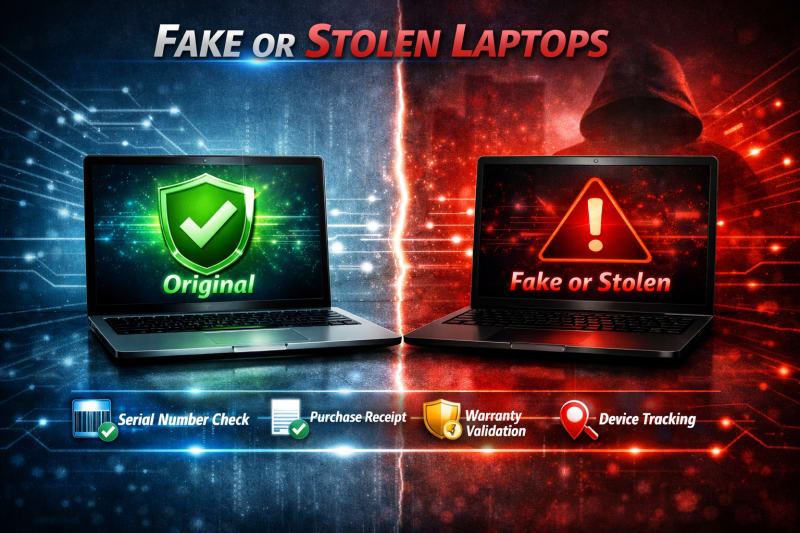
Buying a laptop is a major investment, and choosing the wrong device can lead to financial loss, security problems, or unexpected repair costs. In Nigeria, buyers often search for affordable laptop deals, but some offers may involve fake, stolen, damaged, or misrepresented devices.
A laptop can appear attractive on the outside while hiding serious issues such as altered specifications, replaced components, or questionable ownership history.
Learning how to identify warning signs before buying helps you protect your money and choose a reliable device.
This guide explains how to avoid fake or stolen laptops in Nigeria, the checks you should perform, questions to ask sellers, and steps to take before completing a purchase. To avoid fake laptops, read How to Verify Original Laptop in Nigeria Before Buying (Complete Guide).
Common Laptop Scams Buyers Should Know in Nigeria
As laptop demand continues to grow in Nigeria, some dishonest sellers use different tactics to attract buyers and sell devices that do not match their descriptions. Understanding common scams helps you recognize warning signs before losing money.
1. Selling Refurbished Laptops as Brand New
One of the most common issues is presenting a previously used or refurbished laptop as a new device.
Signs to watch for include:
- Missing original packaging
- Previous user accounts
- Worn keyboard or trackpad
- Reduced battery health
- Warranty that has already started
A refurbished laptop is not necessarily bad, but it should be honestly described and priced appropriately.
2. Advertising Higher Specifications Than the Laptop Has
Some sellers may advertise better hardware than what is actually installed.
Examples include:
- Claiming a larger RAM capacity
- Advertising SSD storage when the laptop has an HDD
- Misrepresenting processor generation
- Claiming dedicated graphics when the laptop has integrated graphics
Always verify specifications directly on the laptop before payment.
3. Selling Faulty Laptops With Hidden Problems
Some laptops may have hidden issues that are not immediately visible.
Possible problems include:
- Weak batteries
- Overheating
- Faulty keyboards
- Damaged screens
- Storage problems
Always test the laptop thoroughly before buying.
4. Selling Stolen Laptops
Some laptops may be obtained illegally and sold at unusually low prices.
Warning signs include:
- Extremely low prices
- Seller avoiding questions about ownership
- Missing proof of purchase
- Altered serial numbers
Always verify the laptop's identity and buy from trustworthy sources. Read a related article on How to Check Laptop Specifications Before Buying in Nigeria.
5. Using Fake Accessories
Some sellers may provide non-original accessories while presenting them as genuine.
Check:
- Charger compatibility
- Adapter specifications
- Build quality
- Manufacturer markings
A poor-quality charger can affect laptop performance and safety.
6. Creating Fake Urgency
Scammers may pressure buyers with statements like:
- "Pay now before someone else buys it"
- "This price is only available today"
- "No time for testing"
A legitimate seller should allow reasonable inspection before payment.
7. Selling Online Without Transparency
Some online sellers may avoid providing clear details about the laptop.
Be careful if they:
- Refuse video calls or product demonstrations
- Avoid sharing the model number
- Request unusual payment methods
- Cannot provide clear product images
Knowing these common scams helps you become a more careful buyer. The next step is learning how to identify warning signs before completing a laptop purchase. We sell with transparency and want you to look at this HP Elite x360 830 G11 Intel Core Ultra 7.
Signs That a Laptop May Be Fake or Suspicious
Identifying a suspicious laptop before buying can save you from financial loss and future problems. While not every unusual sign means a laptop is fake or stolen, multiple warning signs should encourage you to investigate further.
1. The Price Is Too Good to Be True
An unusually low price is one of the biggest warning signs.
Be cautious when:
- The price is far below the normal market value
- The seller cannot explain the discount
- The seller demands immediate payment
A genuine laptop deal should still make sense based on the model, condition, and specifications.
2. The Serial Number Cannot Be Verified
Every genuine laptop should have identifiable manufacturer information.
Warning signs include:
- Serial number missing
- Serial number does not match system information
- Manufacturer website does not recognise the serial number
- Seller refuses to provide the serial number
Always verify the serial number before buying.
3. Specifications Do Not Match the Advertisement
A suspicious laptop may not have the hardware the seller claims.
Check:
- Processor model
- RAM size
- Storage type
- Graphics card
- Display specifications
If the details are different, ask questions before paying.
4. The Laptop Has Signs of Tampering
Look for:
- Removed or damaged labels
- Scratched serial numbers
- Poorly fitted parts
- Damaged screws
- Unusual replacement components
These signs may indicate previous repairs or attempts to hide information. You can also explore How to Check if a Laptop Is New, Used, or Refurbished in Nigeria for more information on getting the right laptop.
5. The Seller Avoids Testing
A trustworthy seller should allow you to test the laptop.
Be cautious if the seller:
- Refuses to turn it on
- Does not allow specification checks
- Prevents you from checking the serial number
- Rushes the transaction
A buyer should always inspect the device before payment.
6. Missing Proof of Ownership or Purchase
For expensive laptops, ask for available documents such as:
- Purchase receipt
- Warranty information
- Original accessories
While every used laptop may not have all documents, a complete lack of information can be a warning sign.
7. The Seller Provides Inconsistent Information
Pay attention if the seller gives different answers about:
- Laptop age
- Usage history
- Reason for selling
- Repairs performed
A trustworthy seller should provide consistent details.
8. The Laptop Has Unusual Security Issues
Before buying, check that:
- No unknown passwords are set
- Previous user accounts are removed
- The device can be reset properly
A laptop that remains locked or connected to another user's accounts may create problems for the new owner.
Recognizing these warning signs does not mean rejecting every used laptop. It means taking proper steps to verify the device and make a safer purchase decision.
How to Check if a Laptop Is Stolen Before Buying
Buying a stolen laptop can lead to serious problems, including losing the device, financial loss, and difficulties proving ownership. While it may not always be possible to know a laptop's complete history, several checks can help you reduce the risk of buying a device with questionable ownership.
1. Ask for Proof of Purchase
One of the best ways to confirm ownership is to request available purchase documents.
Useful documents include:
- Original receipt
- Invoice
- Warranty documents
- Purchase confirmation
A genuine seller should be comfortable providing reasonable evidence of ownership, especially for expensive laptops.
2. Verify the Serial Number
The serial number is one of the most important checks when assessing a laptop's identity.
Confirm that:
- The serial number is present
- The number matches Windows or BIOS information
- The manufacturer recognises the device
- The laptop details match the actual device
Be cautious if the serial number has been removed, altered, or cannot be verified. To check your laptop's serial number, explore How to Check Laptop Serial Number and Verify Authenticity in Nigeria (2026).
3. Be Careful With Extremely Cheap Deals
Stolen devices are sometimes offered at unusually low prices to attract quick buyers.
Be cautious when:
- The price is far below market value
- The seller refuses negotiation or questions
- The seller wants immediate payment
A good deal should still have a reasonable explanation.
4. Check the Seller's Identity and Reputation
When buying from an individual or online seller, consider:
- Seller reviews
- Business history
- Physical location
- Previous customer feedback
Reliable sellers are usually more transparent about the products they sell.
5. Avoid Buying Without Proper Inspection
Never complete a purchase without checking the laptop.
Inspect:
- Serial number
- Specifications
- Physical condition
- Operating system status
- Accessories
Avoid situations where the seller only wants to meet briefly and collect payment without allowing checks.
6. Check for Company or Organisation Ownership Signs
Some laptops previously owned by companies may have:
- Company stickers
- Asset tags
- Management software
- Organisation branding
These signs do not automatically mean the laptop is stolen, but they require clarification from the seller.
7. Check Device Lock and Account Status
Before buying, ensure:
- Previous accounts have been removed
- The laptop can be reset
- No ownership locks prevent use
A device that remains connected to another person's accounts may create ownership issues.
8. Trust Transparency
A legitimate seller should be willing to answer questions about:
- Where the laptop came from
- How long they have owned it
- Why they are selling it
Avoid sellers who become defensive when asked normal verification questions.
The safest way to avoid buying a stolen laptop is to combine proper verification, careful inspection, and purchasing from trustworthy sellers.
How to Verify a Laptop Seller Before Buying in Nigeria
A genuine laptop is only part of a safe purchase. The seller you buy from also matters because a reliable seller is more likely to provide accurate information, proper support, and honest product descriptions.
Before buying a laptop in Nigeria, take time to verify the seller's credibility.
1. Research the Seller's Reputation
Before making payment, look for information about the seller.
Check:
- Customer reviews
- Online ratings
- Social media presence
- Previous customer experiences
A seller with a history of satisfied customers is generally safer than an unknown seller with no track record.
2. Confirm the Seller's Physical Location
For expensive purchases, knowing where the seller operates provides additional confidence.
A trustworthy seller should have:
- A physical shop or business location
- Clear contact information
- A consistent business identity
Be cautious with sellers who only communicate through temporary accounts or refuse to provide basic business details.
3. Check Online Marketplace Profiles
If buying through an online marketplace, review the seller's profile.
Look for:
- Account age
- Customer feedback
- Previous listings
- Response behaviour
Avoid sellers with many complaints or suspicious reviews.
4. Ask Clear Questions
A reliable seller should answer questions about:
- Laptop condition
- Serial number
- Warranty
- Previous usage
- Specifications
- Accessories included
Unclear or inconsistent answers may be a warning sign.
5. Observe How the Seller Handles Verification
Pay attention to the seller's attitude when you request checks. We recommend HP ZBook Firefly 14 G11 Mobile Workstation.
A trustworthy seller should allow you to:
- Test the laptop
- Check specifications
- Verify the serial number
- Inspect the physical condition
A seller who discourages verification should be approached carefully.
6. Check Return and Warranty Policies
Before buying, understand:
- Whether returns are accepted
- Warranty duration
- What problems are covered
Clear policies show that the seller is prepared to stand behind the product.
7. Avoid Pressure Tactics
Be careful if a seller:
- Rushes you to pay
- Creates unnecessary urgency
- Refuses reasonable questions
- Changes agreed terms suddenly
A professional seller should allow you enough time to make an informed decision.
Verifying the seller is an important part of avoiding fake or stolen laptops. A trustworthy seller combined with proper laptop inspection gives you the best protection when making a purchase.
Safe Steps to Take Before Paying for a Laptop
Before completing a laptop purchase, take time to perform final checks. Many buyers make mistakes by paying too quickly, especially when they find what appears to be a good deal.
Following a proper inspection process can help you avoid scams, faulty devices, and laptops that do not match the seller's description.
1. Inspect the Laptop Physically
Start with a complete physical inspection.
Check:
- Laptop body condition
- Screen quality
- Keyboard and touchpad
- Hinges
- Ports
- Charger
- Webcam and speakers
Look for signs of damage, excessive wear, or repairs.
2. Confirm the Laptop Specifications
Verify that the laptop matches the advertised details.
Check:
- Processor model
- RAM capacity
- Storage type and size
- Graphics card
- Display specifications
Use Windows system tools to confirm the information.
3. Verify the Serial Number
Before payment:
- Check the serial number on the laptop
- Compare it with BIOS or system information
- Verify it through the manufacturer's support system
The details should match the device you are buying.
4. Test Laptop Performance
Do not buy without testing the laptop.
Test:
- Startup speed
- Application performance
- Battery condition
- Keyboard response
- Touchpad functionality
- Internet connectivity
Testing helps reveal problems that may not be visible immediately.
5. Check the Operating System
Confirm that:
- The laptop starts normally
- No previous user's accounts remain
- The operating system is properly installed
- You can reset and configure the device
A clean setup is important for security and ownership.
6. Confirm Accessories and Documents
Before leaving with the laptop, confirm what is included.
Check:
- Charger
- Laptop bag (if included)
- Original box (if available)
- Warranty documents
- Receipt or proof of purchase
7. Make Payment Only After Verification
Avoid paying before completing your checks.
A safer approach is:
- Inspect the laptop.
- Verify specifications.
- Test performance.
- Confirm ownership details.
- Complete payment.
Taking these steps may require extra time, but it can prevent expensive mistakes and help ensure you receive exactly what you paid for.
Conclusion
Avoiding fake or stolen laptops in Nigeria requires careful verification, patience, and informed decision-making. A laptop may look attractive and affordable, but buyers should always confirm its authenticity, ownership history, specifications, and condition before making payment.
Always verify the serial number, check the laptop specifications, inspect for signs of tampering, test the device, and research the seller's reputation. These simple steps can protect you from scams and help you avoid buying a laptop with hidden problems. For game lovers, check this Lenovo LOQ 15IAX9E Gaming Laptop.
Buying from a trustworthy seller is just as important as choosing the right laptop. A transparent seller who allows proper inspection and provides accurate information gives you greater confidence in your purchase.
Whether you are buying a brand-new, used, or refurbished laptop, remember this rule: never rush the decision. Verify first, test properly, and pay only when you are satisfied with what you are buying.