
How to Check Laptop Serial Number and Verify Authenticity in Nigeria(2026)
By Clarity Tech
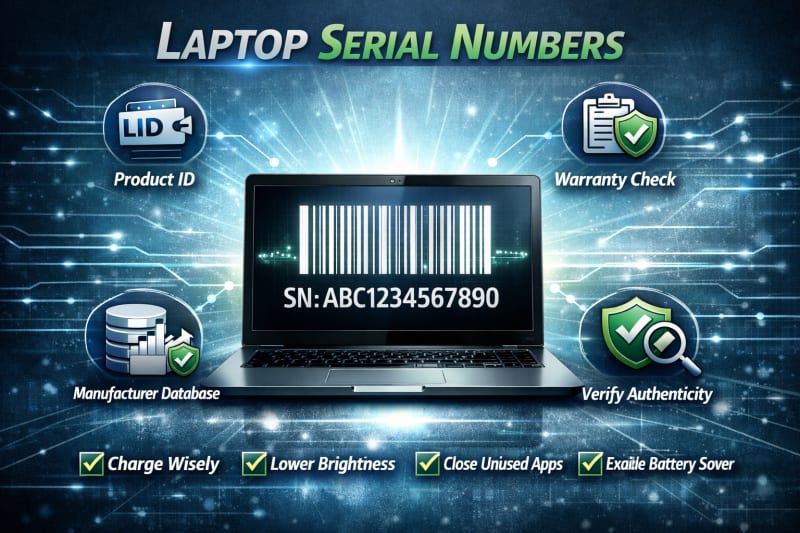
A laptop serial number is one of the most important details to check before buying a computer. It acts as a unique identity code assigned to the laptop by the manufacturer and can help you confirm important information about the device.
In Nigeria, where buyers often purchase laptops through different channels, checking the serial number can help protect you from buying misrepresented, refurbished, or incorrectly advertised devices.
A proper serial number verification can help you confirm the laptop model, warranty status, manufacturer records, and whether the device matches the seller's claims.
This guide explains what a laptop serial number is, where to find it, how to check it on different laptops, and how to use it to verify authenticity before making a purchase.
What Is a Laptop Serial Number?
A laptop serial number is a unique identification code assigned to a specific laptop by its manufacturer. No two laptops of the same model should have the same serial number, making it useful for identifying an individual device.
Manufacturers use serial numbers to keep records about laptops, including production details, warranty information, repairs, and technical support history.
For buyers in Nigeria, the serial number is an important verification tool because it helps confirm whether a laptop matches the information provided by the seller.
Why Laptop Serial Numbers Matter
A serial number can help you verify:
- The actual laptop model
- Manufacturing details
- Warranty status
- Support eligibility
- Product registration information
Serial Number vs Model Number
Many buyers confuse a laptop serial number with a model number, but they serve different purposes.
Serial number:
- Identifies one specific laptop
- Unique to that individual device
- Used for warranty and support checks
Model number:
- Identifies the laptop series or design
- Shared by many devices of the same type
- Used to find general specifications
For example, hundreds or thousands of laptops may share the same model number, but each individual laptop should have its own unique serial number. For more information on verification of original laptop, check out, How to Verify Original Laptop in Nigeria Before Buying (Complete Guide).
Why You Should Check the Serial Number Before Buying
Before paying for a laptop, verifying the serial number can help you:
- Confirm the laptop is recognised by the manufacturer
- Check if the specifications match the original product
- Identify possible warranty information
- Detect suspicious or altered device information
A serial number alone does not prove that a laptop is perfect, but it is one of the most reliable starting points for verifying authenticity.
Where to Find a Laptop Serial Number
Before you can verify a laptop's authenticity, you need to locate its serial number. Manufacturers place this information in different locations depending on the laptop brand and model.
Here are the most common places to find a laptop serial number.
1. On the Bottom of the Laptop
The easiest place to check is usually the sticker or label on the underside of the laptop.
The label may contain:
- Serial number (S/N)
- Product number
- Model number
- Service tag (on some brands)
Look carefully because the serial number may be written in small text.
2. Inside the Battery Compartment
For older laptops with removable batteries, the serial number may be printed inside the battery area.
Remove the battery carefully and check the label underneath.
3. On the Original Packaging
If the laptop still has its original box, the serial number is usually printed on a label attached to the packaging.
The number on the box should match the number on the laptop itself.
4. Through Windows System Information
You can find the serial number directly from Windows without checking the physical label.
Steps:
- Press Windows + R.
- Type msinfo32.
- Press Enter.
- Look for system information details.
You may find information about the device manufacturer and model.
5. Using Command Prompt
Another method is through Command Prompt.
Steps:
- Open Command Prompt.
- Type:
- Press Enter.
The displayed serial number should match the physical label on the laptop.
6. Through BIOS or UEFI Settings
Some laptops display the serial number inside BIOS or UEFI settings.
To access it:
- Restart the laptop.
- Press the manufacturer's BIOS key during startup.
- Check the system information section.
The exact key depends on the laptop brand.
Check for Signs of Tampering
When locating the serial number, pay attention to warning signs such as:
- Scratched labels
- Removed stickers
- Altered numbers
- Missing serial information
A missing or damaged serial number does not always mean the laptop is fake, but it requires further investigation before purchase.
After finding the serial number, the next step is to verify it using the manufacturer's official records.
How to Check Laptop Serial Number on Different Brands (HP, Dell, Lenovo, ASUS, Acer)
Different laptop manufacturers use slightly different names and locations for their identification numbers. Some brands use the term serial number, while others use terms such as Service Tag or Product ID.
Below is how to locate serial numbers on some of the most popular laptop brands in Nigeria.
1. HP Laptop Serial Number
HP laptops usually display the serial number on a sticker at the bottom of the device.
You can also find it using HP's built-in tools.
Using HP Support Assistant:
- Open HP Support Assistant.
- Check the device information section.
- View the serial number and product details.
Using Command Prompt:
Open Command Prompt and type:
wmic bios get serialnumberThe displayed number should match the label on the laptop.
2. Dell Laptop Serial Number (Service Tag)
Dell uses the term Service Tag as its unique identifier.
You can find it:
- On the bottom of the laptop
- Inside the Dell SupportAssist application
- In BIOS system information
The Service Tag can be used to check the laptop's warranty and specifications through Dell's support system. For originality, explore Dell Pro Max 18 Plus – Intel Ultra 7.
3. Lenovo Laptop Serial Number
Lenovo laptops usually have the serial number printed on the bottom label.
You can also check it through:
- Lenovo Vantage application
- BIOS information
- Command Prompt
Lenovo may also display a machine type or model number alongside the serial number. A high performance laptop like Lenovo LOQ 15IAX9E Gaming Laptop cannot disappoint you.
4. ASUS Laptop Serial Number
ASUS laptops commonly display the serial number on a label at the bottom of the device.
You can also check through:
- MyASUS application
- BIOS settings
- Windows system information
The serial number can help verify warranty and product details.
5. Acer Laptop Serial Number
Acer laptops usually have the serial number or SNID printed on the bottom label.
You can verify Acer devices using:
- Acer Care Center
- BIOS information
- Manufacturer support tools
Important Verification Tip
After finding the serial number, do not stop there. Compare it across different sources:
- Laptop label
- Windows information
- BIOS/UEFI
- Original packaging (if available)
The information should match consistently.
Finding the serial number is only the first step. The next step is using that number to confirm the laptop's authenticity through the manufacturer's official verification system.
How to Verify a Laptop Serial Number Online
After finding the laptop serial number, the next step is to verify it through the manufacturer's official support system. This process helps you confirm whether the laptop is recognised by the brand and provides additional details about the device.
Always use official manufacturer websites for verification. Avoid unknown third-party websites that claim to provide laptop information, as their data may be inaccurate.
1. Verify an HP Laptop Serial Number
For HP laptops, enter the serial number into HP's official support tools to check:
- Product identification
- Warranty information
- Support options
- Device details
If the serial number is recognised, the laptop should display information that matches the device you are checking.
2. Verify a Dell Laptop Serial Number
Dell uses the Service Tag system to identify its laptops.
A Dell Service Tag check can help you confirm:
- Exact laptop model
- Warranty status
- Original configuration details
- Support information
Make sure the details match what the seller advertised.
3. Verify a Lenovo Laptop Serial Number
Lenovo users can check their device information using Lenovo's official support services.
Verification may show:
- Product model
- Warranty details
- Device support information
Compare these details with the actual laptop.
4. Verify ASUS Laptop Serial Number
ASUS provides support tools that allow users to check product information using the serial number.
You can confirm:
- Device recognition
- Warranty status
- Product details
5. Verify Acer Laptop Serial Number
Acer users can use Acer's official support tools to check information linked to the laptop serial number or SNID.
This can help confirm:
- Product identity
- Warranty information
- Support eligibility
What to Do if the Serial Number Is Not Found
If a manufacturer's website cannot recognise the serial number, do not immediately assume the laptop is fake.
Possible reasons include:
- Incorrectly entered serial number
- Regional database differences
- Delayed registration
- Seller provided the wrong information
However, you should investigate further before buying.
Compare Online Results With the Actual Laptop
A successful verification should match:
- Laptop brand
- Model number
- Hardware specifications
- Warranty information
If the online information is completely different from the laptop you are holding, treat it as a warning sign.
Online serial number verification is one of the strongest steps you can take to confirm that a laptop is genuine before purchasing it.
Signs of a Fake or Altered Laptop Serial Number
A laptop serial number is designed to provide a reliable identity for a device. However, some sellers may attempt to hide a laptop's history by altering labels, replacing stickers, or providing incorrect information.
Knowing the warning signs can help you identify suspicious laptops before making a purchase.
1. Missing Serial Number Label
A genuine laptop normally has a serial number attached by the manufacturer.
Be cautious if:
- The label is completely missing
- The seller cannot explain why it is unavailable
- The serial number appears removed
A missing label does not always mean fraud, but it requires additional verification.
2. Scratched or Damaged Serial Number
Pay attention to the condition of the serial number label.
Warning signs include:
- Scratched numbers
- Faded printing
- Signs of peeling
- A label that looks replaced
A damaged label may make verification difficult and should be investigated.
3. Serial Number Does Not Match the System Information
The serial number shown in the laptop's system information should match the physical label.
A mismatch may indicate:
- A replaced motherboard
- Incorrect device information
- Possible tampering
Always compare the physical label with BIOS or Windows information.
4. Manufacturer Website Cannot Recognise the Serial Number
If the official manufacturer website does not recognise the serial number, be careful.
Possible explanations include:
- Typing errors
- Incorrect region database
- Unregistered devices
However, a seller should be able to provide a reasonable explanation.
5. Serial Number Matches Another Device
A serial number should belong to only one laptop.
If the same serial number appears on multiple devices, it is a serious warning sign that the information may have been copied or altered.
6. The Serial Number Does Not Match the Laptop Model
The verified serial number should identify the same laptop model you are buying.
For example, if the manufacturer records show a different laptop series or configuration, ask questions before proceeding.
7. Seller Avoids Serial Number Verification
A trustworthy seller should have no problem allowing you to check the serial number.
Be cautious if a seller:
- Refuses to provide the serial number
- Discourages verification
- Claims checking is unnecessary
Transparency is an important sign of a reliable transaction.
A serial number is a powerful verification tool, but it should always be combined with checking the laptop's specifications, physical condition, and seller reputation before purchase.
What to Do After Verifying the Serial Number
Successfully verifying a laptop serial number is an important step, but it should not be the final step before buying. A genuine serial number only confirms the identity of the device. It does not automatically guarantee that the laptop is in perfect condition or that it has no hidden issues.
After confirming the serial number, continue with these additional checks.
1. Confirm the Laptop Specifications
Compare the verified laptop information with the actual hardware inside the device.
Check:
- Processor model
- RAM capacity
- Storage size and type
- Graphics card
- Display specifications
The laptop should match the specifications advertised by the seller.
2. Check the Warranty Information
Review the warranty details connected to the serial number.
Confirm:
- Warranty status
- Warranty start date
- Expiry date
- Available support options
This can help you determine whether the laptop is genuinely new or has been previously registered.
3. Inspect the Physical Condition
A verified laptop can still have physical problems.
Check:
- Screen condition
- Keyboard and touchpad
- Laptop hinges
- Ports
- Charger
- Body condition
The physical condition should match the seller's description.
4. Test Laptop Performance
Before making payment, test how the laptop performs.
Check:
- Startup speed
- Application response
- Battery performance
- Fan noise
- Overheating issues
A proper test helps reveal problems that serial number verification cannot detect.
5. Confirm the Seller's Information
Make sure the seller's claims match what you have verified.
Ask questions about:
- Previous usage
- Warranty
- Repairs
- Accessories included
A reliable seller should be willing to provide clear answers.
6. Keep Verification Records
If possible, keep records of your verification process.
Save:
- Serial number details
- Warranty information
- Purchase receipt
- Seller information
These records may be useful for future support or warranty claims.
Verifying a laptop serial number is one of the strongest ways to confirm authenticity, but the safest purchase decision comes from combining serial number checks with specification verification, physical inspection, and buying from a trustworthy seller.
Frequently Asked Questions (FAQs)
How do I find my laptop serial number?
You can find a laptop serial number on the label at the bottom of the device, inside the battery compartment on some older laptops, in the BIOS/UEFI settings, or through Windows tools such as Command Prompt and System Information.
Can a laptop serial number prove that a laptop is original?
A serial number is one of the strongest ways to verify a laptop's identity, but it should not be the only check. You should also confirm the specifications, warranty information, physical condition, and seller reliability.
How do I check if a laptop serial number is valid?
Enter the serial number on the laptop manufacturer's official support or warranty verification website. The information displayed should match the laptop you are checking.
What if the serial number on the laptop does not match the one in Windows?
A mismatch may indicate a replaced component, incorrect system information, or possible tampering. Ask the seller for an explanation and complete further checks before buying.
Can two laptops have the same serial number?
No. Each laptop should have a unique serial number assigned by the manufacturer. If multiple laptops have the same serial number, it may indicate copied or altered information.
Is it safe to buy a laptop without a serial number?
It is risky. A missing serial number makes it difficult to verify the laptop's identity, warranty, and manufacturer records. Always investigate further before purchasing.
Where can I verify a laptop serial number in Nigeria?
You can verify a laptop serial number through the official support websites of the laptop manufacturer, such as HP, Dell, Lenovo, ASUS, or Acer.
Can a fake laptop have a real serial number?
Yes. Some counterfeit or modified devices may use copied serial numbers. This is why serial number verification should be combined with checking the actual specifications and physical condition of the laptop.
Should I check the serial number before or after payment?
Always check and verify the serial number before making full payment. A trustworthy seller should allow you to inspect and verify the laptop before completing the transaction.
Conclusion
Checking a laptop serial number is one of the most important steps when verifying whether a laptop is genuine before buying in Nigeria. It helps you confirm