
6 Best Wireless Keyboard and Mouse for Office Work in Nigeria(2026)
By Clarity Tech
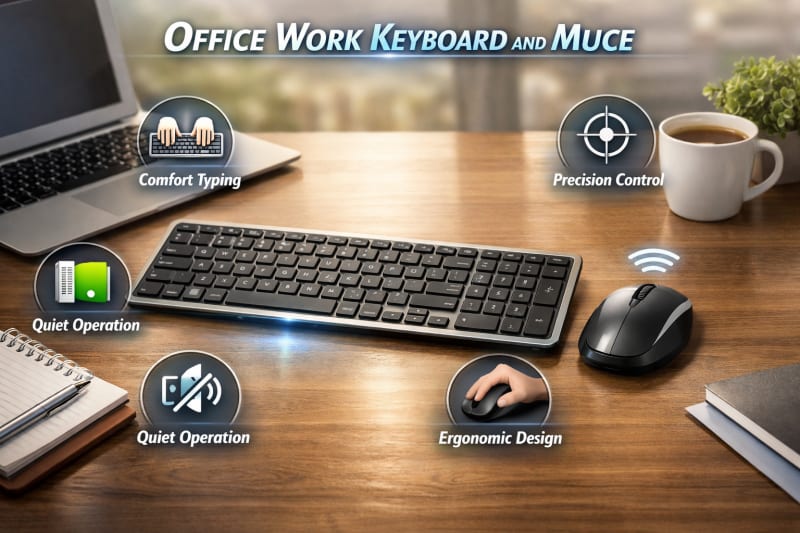
A reliable wireless keyboard and mouse can make a significant difference in your daily productivity. Whether you work from a corporate office, run a business, or work remotely from home, the right accessories can improve typing comfort, reduce desk clutter, and help you work more efficiently.
Unlike gaming peripherals, office wireless keyboards and mice are designed with productivity, comfort, and long battery life in mind. Features such as quiet keys, ergonomic designs, responsive tracking, and dependable wireless connectivity allow you to work for extended periods with minimal distractions.
However, not every wireless keyboard and mouse is suitable for office use. Some prioritise portability, while others focus on gaming performance instead of everyday productivity. Choosing the right model requires considering factors such as typing experience, build quality, battery life, compatibility, and overall value for money.
In this guide, you'll discover the best wireless keyboards and mice for office work in Nigeria, the features to look for before buying, and how to choose a model that fits your workspace and budget. For more information about wireless keyboard and mouse, explore 7 Best Wireless Keyboards and Mice in Nigeria.
Why Use a Wireless Keyboard and Mouse for Office Work?
Modern workplaces require tools that improve efficiency, comfort, and flexibility. A wireless keyboard and mouse can provide several advantages for office workers compared to traditional wired accessories.
1. Reduced Desk Clutter
One of the biggest benefits of wireless accessories is a cleaner workspace. Without cables running across your desk, you can create a more organised and professional working environment.
A tidy workspace makes it easier to arrange your computer, documents, and other office equipment while reducing the inconvenience of tangled wires.
2. Improved Comfort and Flexibility
Wireless keyboards and mice allow you to position your devices in a way that feels most comfortable. You are not restricted by cable length, which gives you more freedom to adjust your workspace setup.
This flexibility is especially useful for people who spend several hours daily typing, managing spreadsheets, writing reports, or attending online meetings. We have a powerful laptop recommendation for you, HP Envy 16-ac0033dx x360 2-in-1 Laptop.
3. Better Portability
For professionals who work from different locations, a wireless keyboard and mouse are easier to carry and set up compared to wired alternatives.
Remote workers, consultants, and business owners can quickly create a productive workspace wherever they are.
4. Enhanced Productivity
Many wireless office keyboards include features that improve workflow, such as:
- Quiet keys for distraction-free typing
- Shortcut buttons for common tasks
- Multi-device connectivity
- Comfortable layouts for long typing sessions
A responsive mouse also improves navigation speed when working with documents, presentations, spreadsheets, and web applications.
5. Professional Workspace Appearance
A modern wireless setup gives an office desk a cleaner and more organised appearance. For businesses and professionals who meet clients or work in shared spaces, a neat workspace can create a better impression.
For most office users in Nigeria, a good wireless keyboard and mouse offers a practical combination of convenience, comfort, and productivity.
Important Features of an Office Wireless Keyboard and Mouse
Choosing a wireless keyboard and mouse for office work requires more than selecting the cheapest available option. Since office users often spend several hours typing, browsing, and managing tasks, the right features can greatly improve comfort and productivity.
1. Comfortable Typing Experience
A good office keyboard should make typing smooth and comfortable, especially for users who write reports, emails, documents, or work with spreadsheets regularly.
Important factors include:
- Well-spaced keys
- Soft and responsive key presses
- Low typing noise
- Comfortable keyboard layout
- Good wrist positioning
A comfortable keyboard reduces fatigue during long working sessions and helps users maintain productivity throughout the day.
2. Ergonomic Mouse Design
Since the mouse is used continuously for navigation, its design plays an important role in comfort.
A good office mouse should have:
- A shape that fits your hand comfortably
- Smooth tracking
- Responsive buttons
- A scroll wheel that is easy to use
Ergonomic mice are especially useful for professionals who spend many hours working on computers. This computer has great RAM for high performance, Apple MacBook Pro 16-inch.
3. Long Battery Life
Office users need accessories they can depend on without frequent battery changes or charging interruptions.
A quality wireless keyboard and mouse should offer:
- Extended battery performance
- Battery-saving features
- Low power consumption
Some models can last months or years depending on usage and battery type.
4. Reliable Wireless Connection
A stable connection is essential in an office environment. Frequent disconnections or delays can interrupt workflow.
Look for:
- Strong wireless range
- Reliable Bluetooth connection or USB receiver
- Minimal input delay
- Easy setup
A dependable connection ensures smooth operation during everyday tasks.
5. Multi-Device Support
Many professionals use more than one device, such as a work laptop, personal computer, or tablet.
Some wireless keyboards and mice allow users to switch between multiple devices quickly, making them useful for people who manage different workflows.
6. Quiet Operation
Quiet keyboards and mice are valuable in shared office spaces. They reduce distractions and create a more comfortable environment for colleagues.
This feature is especially useful in:
- Open-plan offices
- Libraries
- Remote meetings
- Shared workspaces
7. Build Quality
Office accessories are used frequently, so durability matters. A well-built wireless keyboard and mouse should withstand daily use while maintaining good performance over time.
When choosing an office wireless keyboard and mouse, focus on comfort, reliability, and durability rather than only appearance or price.
Best Wireless Keyboard and Mouse Brands for Office Work in Nigeria
When choosing a wireless keyboard and mouse for office work, the brand can influence factors such as reliability, durability, comfort, and after-sales support. Some brands have built strong reputations for producing accessories that meet the needs of professionals and business users.
1. Logitech Wireless Keyboard and Mouse
Logitech is one of the most recognised names in computer accessories. Its wireless keyboard and mouse products are popular among office users because of their comfortable designs, dependable wireless connections, and excellent battery performance.
Many Logitech models are designed for productivity, offering quiet typing, ergonomic features, and compatibility with different operating systems.
Best for:
- Professionals
- Remote workers
- Business owners
- Users who want long-term reliability
2. HP Wireless Keyboard and Mouse
HP wireless accessories are widely used in offices because they combine simple designs with dependable performance. They are a practical choice for businesses that need reliable equipment for everyday computer tasks.
HP models often provide comfortable keyboards, responsive mice, and easy setup through USB receivers.
Best for:
- Corporate offices
- Small businesses
- Everyday office users
3. Dell Wireless Keyboard and Mouse
Dell produces office-focused accessories that work well with Dell computers and other compatible devices. Their wireless keyboard and mouse sets are known for their professional appearance and reliable performance.
Best for:
- Business environments
- Desktop users
- Professional workspaces
4. Microsoft Wireless Keyboard and Mouse
Microsoft offers wireless accessories designed with productivity and comfort in mind. Some models include ergonomic designs and features that integrate well with Windows computers.
Best for:
- Windows users
- Productivity-focused professionals
- Long working sessions
5. Lenovo Wireless Keyboard and Mouse
Lenovo provides affordable and reliable wireless accessories suitable for office environments. Their products offer a good balance between price, comfort, and everyday performance.
Best for:
- Offices on a budget
- Students
- Small business users
6. Rapoo Wireless Keyboard and Mouse
Rapoo is a popular option for users looking for affordable wireless accessories without sacrificing essential features. Its products are suitable for basic office tasks such as typing documents, browsing, and managing emails.
Best for:
- Budget-conscious buyers
- Home offices
- Small businesses
Choosing the Right Brand
The best brand depends on your office requirements and budget. Premium brands may offer better durability and comfort, while affordable brands can provide reliable performance for basic tasks.
For professional office use, prioritise features such as typing comfort, battery life, connection stability, and build quality over brand name alone.
Best Wireless Keyboard and Mouse Recommendations for Different Office Users
The best wireless keyboard and mouse for office work depends on the type of tasks you perform, your working hours, and your budget. A professional who types all day may need a different setup from someone who only handles emails and basic computer tasks.
Best Overall Choice for Office Professionals
For professionals who spend several hours daily working on documents, spreadsheets, presentations, and online platforms, a wireless keyboard and mouse with excellent comfort and reliability is the ideal choice.
Look for features such as:
- Comfortable keys for long typing sessions
- Ergonomic mouse design
- Long battery life
- Stable wireless connection
- Durable construction
A premium productivity-focused set can improve efficiency and provide better value over time.
Best Budget Option for Small Offices
Small businesses and startups often need reliable accessories without spending too much. A budget wireless keyboard and mouse can handle essential office tasks such as:
- Typing documents
- Managing emails
- Browsing the internet
- Using business software
When choosing an affordable option, focus on reliability and warranty rather than selecting the cheapest model available.
Best Choice for Remote Workers
Remote workers need accessories that are easy to set up, comfortable, and portable.
Important features include:
- Compact design
- Bluetooth connectivity
- Multi-device support
- Lightweight construction
- Good battery performance
A portable wireless setup allows remote workers to create a productive workspace at home, in a shared office, or while travelling.
Best Choice for Accountants and Data Entry Workers
Users who work with spreadsheets and numbers need a keyboard that supports fast and accurate typing.
Recommended features include:
- Full-size keyboard layout
- Dedicated number pad
- Comfortable key spacing
- Responsive mouse tracking
These features make tasks involving financial records, reports, and data management easier.
Best Choice for Office Executives and Managers
Executives and managers often require accessories that combine professional appearance with functionality.
Important features include:
- Premium build quality
- Quiet operation
- Multi-device connectivity
- Comfortable design
A clean wireless setup can also create a more organised workspace during meetings or presentations.
Best Choice for General Office Use
For users with normal office requirements, a balanced wireless keyboard and mouse set is usually the best option.
A good everyday model should provide:
- Reliable connection
- Comfortable typing
- Smooth mouse movement
- Reasonable battery life
- Affordable pricing
The right choice depends on your daily workload. Understanding your specific needs helps you avoid paying for features you may not use while ensuring you get enough performance for your work.
How Much Does an Office Wireless Keyboard and Mouse Cost in Nigeria?
The price of an office wireless keyboard and mouse in Nigeria depends on the brand, features, build quality, connection type, and where you purchase it. Basic models designed for everyday tasks are affordable, while premium options with advanced features cost significantly more.
Understanding the different price categories helps you choose a set that provides the right balance between performance and budget.
Budget Office Wireless Keyboard and Mouse (₦10,000 – ₦25,000)
Budget wireless keyboard and mouse sets are suitable for basic office tasks such as:
- Typing documents
- Sending emails
- Browsing the internet
- Using Microsoft Office applications
- Online meetings
At this price range, you can expect:
- 2.4GHz USB receiver connection
- Standard keyboard layout
- Basic optical mouse
- Replaceable batteries
- Simple plastic construction
These models are suitable for students, small businesses, and offices that need multiple computer accessories at an affordable cost.
Mid-Range Office Wireless Keyboard and Mouse (₦25,000 – ₦60,000)
Mid-range models offer better comfort, durability, and overall performance. They are a good choice for professionals who use computers daily.
Common features include:
- Quieter keyboard keys
- Improved typing comfort
- Better mouse accuracy
- Longer battery life
- Stronger build quality
- Bluetooth or multi-device connectivity
This category is ideal for remote workers, business owners, content creators, and corporate office users.
Premium Office Wireless Keyboard and Mouse (₦60,000 and Above)
Premium wireless keyboard and mouse sets are designed for users who spend many hours working on computers and need maximum comfort and reliability.
They often include:
- Ergonomic designs
- Rechargeable batteries
- Multi-device switching
- Advanced mouse sensors
- Premium materials
- Custom shortcut keys
These models are suitable for executives, software developers, designers, and professionals who value productivity and long-term durability.
Factors That Affect Office Wireless Keyboard and Mouse Prices in Nigeria
Several factors influence the price of wireless office accessories, including:
Brand: Well-known brands often cost more because of their reliability, warranty, and product quality.
Connectivity: Bluetooth and multi-device models are usually more expensive than basic USB receiver models.
Battery Technology: Rechargeable devices and models with extended battery life often have higher prices.
Design and Comfort: Ergonomic keyboards and mice typically cost more because they are designed for long-term use.
Build Quality: Premium materials and stronger construction increase the overall cost.
Is an Expensive Wireless Keyboard and Mouse Worth It for Office Work?
For occasional use, a budget model may be enough. However, professionals who spend several hours daily working on a computer can benefit from investing in a higher-quality wireless keyboard and mouse.
A better-quality device usually provides:
- More comfortable typing
- Better durability
- Fewer connection problems
- Improved productivity
The best choice is not necessarily the most expensive one. Select a wireless keyboard and mouse that matches your workload, comfort needs, and budget.
How to Choose the Right Wireless Keyboard and Mouse for Office Work in Nigeria
Choosing the right wireless keyboard and mouse for office work requires understanding your daily tasks, workspace, and personal preferences. A model that works well for one user may not provide the same experience for another.
Consider these important factors before making a purchase.
1. Consider Your Type of Work
Your work determines the features you need. Someone who mainly writes documents may prioritise keyboard comfort, while someone who works with spreadsheets may need a precise and responsive mouse.
For example:
- Writers need comfortable and quiet keyboards
- Accountants benefit from accurate mice and efficient layouts
- Designers need precise cursor control
- Business users need reliability and durability
Understanding your workflow helps you avoid buying features you do not need.
2. Check Compatibility With Your Device
Before buying a wireless keyboard and mouse, confirm that it works with your computer.
Check:
- Operating system support
- Bluetooth availability
- USB port requirements
- Multi-device compatibility
This prevents connection problems after purchase.
3. Choose the Right Connection Type
Wireless accessories usually use Bluetooth or a USB receiver.
Bluetooth is useful for:
- Modern laptops
- Tablets
- Users who switch between devices
USB receiver models are useful for:
- Office desktops
- Simple plug-and-play setups
- Users who prefer easy installation
Choose the connection type that matches your work environment.
4. Pay Attention to Comfort
Office workers often use keyboards and mice for several hours daily. Comfort should be a major consideration.
Look for:
- Proper keyboard spacing
- Comfortable key response
- Mouse shape that fits your hand
- Ergonomic features where necessary
A comfortable setup can improve productivity during long work sessions.
5. Consider Battery Performance
Frequent battery replacement can become inconvenient in a busy office environment.
Look for models with:
- Long battery life
- Power-saving features
- Rechargeable options where available
A reliable battery system reduces interruptions.
6. Set a Realistic Budget