
7 Best Wireless Keyboards and Mice in Nigeria: Complete Buying Guide, Prices, and Recommendations
By Clarity Tech
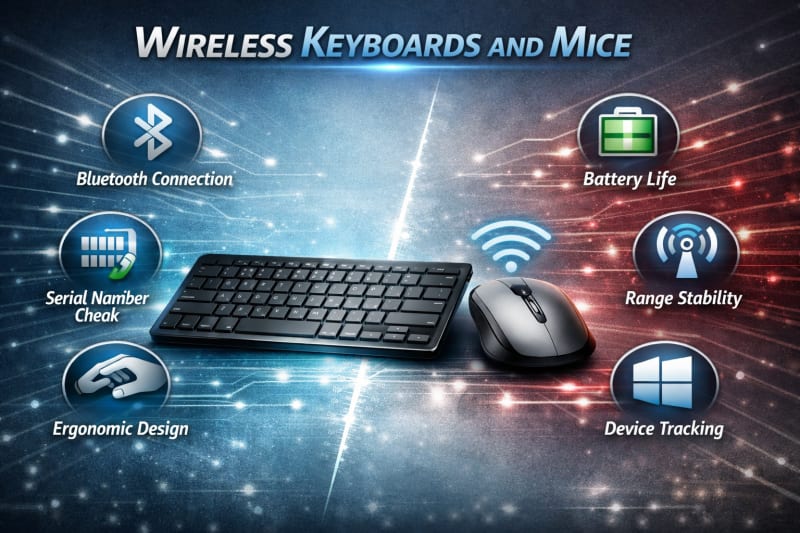
Wireless keyboards and mice have become essential accessories for many computer users in Nigeria. Whether you are working from home, running a business, studying online, gaming, or simply looking for a cleaner workspace, a reliable wireless keyboard and mouse can improve comfort, productivity, and convenience.
Unlike traditional wired devices, wireless keyboard and mouse sets remove cable clutter and give users more flexibility when arranging their workspace. They are also popular among laptop users who want a desktop-like experience without carrying extra cables.
However, choosing the right wireless keyboard and mouse is not always straightforward. With many brands, connection types, designs, and price ranges available in the Nigerian market, buyers need to consider factors such as battery life, compatibility, durability, typing comfort, and overall performance.
This guide explains everything you need to know before buying a wireless keyboard and mouse in Nigeria, including the different types available, important features to look for, expected price ranges, and recommendations for different users.
What Is a Wireless Keyboard and Mouse?
A wireless keyboard and mouse is a computer input device set that connects to a computer, laptop, or other compatible device without using physical cables. Instead of relying on wired connections, these accessories communicate with the device through wireless technologies such as Bluetooth or a 2.4GHz wireless receiver. We sell other items like this Porodo Kids Instant Camera.
A wireless keyboard allows users to type and control their computer from a distance, while a wireless mouse provides navigation and cursor control without the restrictions of a cable. When combined as a set, they provide a more organised and flexible workspace.
Most wireless keyboard and mouse sets come with either:
A USB receiver (2.4GHz wireless connection): A small receiver plugged into the computer’s USB port that creates a stable wireless connection between the devices.
Bluetooth connection: Allows the keyboard and mouse to connect directly to compatible devices without needing a separate receiver.
Modern wireless keyboard and mouse sets are designed for different users, including office workers, students, content creators, gamers, and everyday computer users. Some focus on portability and simplicity, while others offer advanced features such as ergonomic designs, rechargeable batteries, programmable buttons, and improved performance.
For Nigerian users, wireless keyboards and mice are available across different price categories, from affordable basic models for everyday tasks to premium options built for professionals and heavy computer users.
Why Buy a Wireless Keyboard and Mouse Instead of Wired Ones?
Wireless keyboards and mice have become popular
alternatives to traditional wired accessories because they offer greater flexibility, cleaner setups, and improved convenience.
One of the biggest advantages is the reduction of cable clutter. A wired keyboard and mouse require cables running across your desk, which can make your workspace look untidy and limit how you position your devices. Wireless accessories give you more freedom to arrange your setup according to your comfort.
Another benefit is portability. Laptop users, students, and professionals who move between locations can easily carry a wireless keyboard and mouse without worrying about tangled cables. This makes them useful for offices, classrooms, home workspaces, and remote work environments.
Wireless devices also provide more comfortable usage. You can position your keyboard and mouse at a distance that suits your sitting posture, helping create a more flexible working environment.
However, wired accessories still have some advantages, especially for users who need maximum reliability and zero charging or battery concerns. Gamers and professionals who require the lowest possible input delay may sometimes prefer wired options.
For most everyday users in Nigeria, including students, office workers, business owners, and content creators, a good wireless keyboard and mouse offers a balance of convenience, comfort, and performance.
Bluetooth vs USB Receiver
Wireless Keyboard and Mouse: Which Is Better?
When choosing a wireless keyboard and mouse in Nigeria, one of the most important decisions is selecting the right connection type. Most wireless devices use either Bluetooth or a 2.4GHz USB receiver, and each option has its own advantages.
Bluetooth Wireless Keyboard and Mouse
Bluetooth keyboards and mice connect directly to compatible devices without requiring a separate receiver. They are commonly used with modern laptops, tablets, and some desktop computers. To explore more of our products, check out our products page.
Advantages of Bluetooth devices include:
No USB receiver required
More convenient for devices with limited USB ports
Easy connection with multiple compatible devices
Better portability for travellers and laptop users
Bluetooth models are ideal for professionals, students, and content creators who frequently move between devices.
However, Bluetooth devices may require additional setup, and compatibility depends on whether your computer supports Bluetooth connectivity.
2.4GHz USB Receiver Wireless Keyboard and Mouse
These devices use a small USB receiver that plugs into your computer. The receiver communicates with the keyboard and mouse through a dedicated wireless frequency.
Advantages of USB receiver models include:
Simple plug-and-play setup
Stable connection
Low input delay
Wide compatibility with most computers
They are popular among office users, home users, and people who want a reliable connection without configuration issues.
Which One Should You Choose?
The better option depends on your needs.
Choose a Bluetooth wireless keyboard and mouse if you:
Use a laptop or tablet
Need portability
Have limited USB ports
Frequently switch between devices
Choose a USB receiver wireless keyboard and mouse if you:
Want easy setup
Use a desktop computer
Need a stable connection for everyday work
Prefer a device that works immediately after plugging in
For most users in Nigeria, both options provide excellent performance. The best choice depends on your device compatibility, working style, and personal preference.
Important Features to Consider Before Buying a Wireless Keyboard and Mouse in Nigeria
Choosing the best wireless keyboard and mouse requires looking beyond price and appearance. Different models offer different levels of comfort, durability, and performance. Before making a purchase, consider the following important features.
1. Battery Life
Battery performance is one of the most important factors when buying wireless accessories. A keyboard or mouse with poor battery life can become inconvenient, especially for users who work for long hours.
Some models use replaceable AA or AAA batteries, while others come with built-in rechargeable batteries. A good wireless keyboard and mouse should provide weeks or months of usage before requiring a battery change or recharge.
2. Connection Reliability
A stable wireless connection ensures smooth performance without frequent interruptions or delays.
Look for devices that offer:
Strong wireless range
Stable Bluetooth connectivity
Reliable 2.4GHz receiver performance
Minimal input delay
A weak connection can affect productivity and create frustration during everyday use.
3. Compatibility
Before buying a wireless keyboard and mouse, check that it works with your device.
Consider compatibility with:
Windows laptops and desktops
Mac computers
Tablets
Smart TVs
Other supported devices
Some models are designed for specific operating systems, while others support multiple platforms.
4. Keyboard Comfort and Design
If you type frequently, keyboard design matters. A comfortable keyboard can improve productivity and reduce fatigue during long working sessions.
Important factors include:
Key size and spacing
Key travel and typing feel
Noise level
Wrist support
Overall layout
Writers, programmers, students, and office workers should pay close attention to typing comfort.
5. Mouse Accuracy and Comfort
A good wireless mouse should provide smooth tracking and comfortable handling.
Important features include:
Sensor quality
DPI adjustment options
Button responsiveness
Shape and grip comfort
Users who spend many hours working on a computer should choose a mouse that fits their hand comfortably.
6. Build Quality and Durability
The quality of materials affects how long your wireless keyboard and mouse will last.
Consider:
Strong keyboard frame
Durable mouse buttons
Quality key switches
Resistance to everyday wear
A slightly more expensive but durable option can provide better value over time.
7. Price and Value for Money
Wireless keyboards and mice are available in different price categories in Nigeria. While cheaper models can handle basic tasks, premium options often provide better comfort, durability, and additional features.
The goal is not always to buy the most expensive option, but to choose a model that matches your needs and budget.
How Much Does a Wireless Keyboard and Mouse Cost in Nigeria?
The price of a wireless keyboard and mouse in Nigeria varies depending on the brand, connection type, build quality, battery technology, and available features. Basic models are generally affordable, while premium options designed for professionals and gamers command higher prices.
Below is a general price guide to help you understand what to expect.
Budget Wireless Keyboard and Mouse
This category is ideal for students, home users, and anyone who needs a reliable setup for everyday computing.
Typical features include:
- Standard keyboard layout
- Basic optical mouse
- 2.4GHz USB receiver
- Replaceable batteries
- Suitable for browsing, typing, and office work
Although these models may lack advanced features, they offer good value for light to moderate use.
Mid-Range Wireless Keyboard and Mouse
Mid-range models provide a noticeable improvement in build quality, comfort, and performance.
Common features include:
- Better typing experience
- Improved mouse precision
- Longer battery life
- Quieter keys
- Bluetooth and/or 2.4GHz connectivity
- More durable construction
These are excellent choices for professionals, remote workers, university students, and content creators who use their computers daily.
Premium Wireless Keyboard and Mouse
Premium models are designed for users who prioritise comfort, productivity, and advanced functionality.
You can expect features such as:
- Ergonomic designs
- Multi-device connectivity
- Rechargeable batteries
- Programmable buttons and shortcut keys
- High-precision mouse sensors
- Premium materials and build quality
These models are well suited for business professionals, designers, software developers, and users who spend long hours at their computers.
Factors That Affect Prices
Several factors influence the cost of wireless keyboards and mice in Nigeria, including:
- Brand reputation
- Bluetooth or 2.4GHz wireless technology
- Mechanical or membrane keyboard switches
- Battery type and lifespan
- Ergonomic features
- Premium materials and design
- Import costs and exchange rate fluctuations
Where to Buy Wireless Keyboards and Mice in Nigeria
You can purchase wireless keyboards and mice from reputable computer stores, electronics retailers, and trusted online marketplaces. When shopping, compare prices, check product specifications, confirm warranty details, and read customer reviews before making a purchase.
Taking the time to compare options helps you find a product that offers the best balance between performance, durability, and value for money.
Best Wireless Keyboards and Mice in Nigeria
With dozens of wireless keyboard and mouse sets available in the Nigerian market, choosing the right one can be challenging. The best option depends on your budget, intended use, preferred connection type, and the features that matter most to you.
Below are some of the best wireless keyboard and mouse brands and models to consider.
1. Logitech Wireless Keyboard and Mouse
Logitech is one of the most trusted brands for computer accessories. Its wireless keyboard and mouse sets are known for excellent build quality, comfortable typing, long battery life, and reliable wireless performance.
Best for:
- Office work
- Students
- Remote workers
- Professionals
- Everyday use
2. HP Wireless Keyboard and Mouse
HP offers dependable wireless accessories that combine modern design with reliable performance. Many HP models feature quiet keys, responsive mice, and easy plug-and-play installation.
Best for:
- Home users
- Business users
- Office environments
3. Dell Wireless Keyboard and Mouse
Dell wireless keyboard and mouse combos are designed for productivity and durability. They are compatible with most Windows computers and are suitable for both home and office use.
Best for:
- Desktop users
- Office professionals
- Business environments
4. Lenovo Wireless Keyboard and Mouse
Lenovo produces wireless accessories that deliver a good balance between affordability and performance. Their keyboard and mouse sets are lightweight, comfortable, and suitable for everyday computing tasks.
Best for:
- Students
- Home offices
- Small businesses
5. Microsoft Wireless Keyboard and Mouse
Microsoft's wireless accessories are recognised for their ergonomic design and dependable performance. Some models include shortcut keys that improve productivity when using Windows computers.
Best for:
- Windows users
- Professionals
- Productivity-focused users
6. Rapoo Wireless Keyboard and Mouse
Rapoo has become a popular choice among budget-conscious buyers in Nigeria. The brand offers affordable wireless combos with decent build quality and reliable everyday performance.
Best for:
- Students
- Home users
- Budget buyers
7. A4Tech Wireless Keyboard and Mouse
A4Tech offers affordable wireless peripherals that are suitable for basic office work, internet browsing, and educational use. They are widely available and provide good value for money.
Best for:
- Schools
- Offices
- Everyday computing
Which Wireless Keyboard and Mouse Is the Best?
There is no single best wireless keyboard and mouse for everyone. The ideal choice depends on how you intend to use it.
- If you prioritise premium quality and long-term reliability, Logitech is an excellent choice.
- If you need a dependable keyboard and mouse for office work, HP, Dell, and Microsoft offer strong options.
- If you're shopping on a tighter budget, Rapoo and A4Tech provide good value without sacrificing essential features.
Before making a purchase, compare specifications, battery life, connectivity options, warranty coverage, and customer reviews to ensure you choose a model that meets your needs.
Frequently Asked Questions (FAQs)
Which wireless keyboard and mouse is best in Nigeria?
The best wireless keyboard and mouse depends on your budget and intended use. Brands such as Logitech, HP, Dell, Lenovo, Microsoft, Rapoo, and A4Tech offer reliable options for students, professionals, gamers, and home users. Consider factors such as battery life, typing comfort, connection type, and build quality before making your choice.
How much does a wireless keyboard and mouse cost in Nigeria?
Prices vary depending on the brand and features. Entry-level models typically start at around ₦10,000, while mid-range options range between ₦25,000 and ₦60,000. Premium models with advanced features can cost more than ₦60,000.
Is a Bluetooth keyboard better than a USB wireless keyboard?
Neither is universally better. A Bluetooth keyboard is ideal if you want to connect without using a USB port and frequently switch between compatible devices. A USB receiver keyboard offers a simple plug-and-play experience and is often preferred for its stable and reliable connection.
Can I use a wireless keyboard and mouse with a laptop?
Yes. Most wireless keyboards and mice are compatible with laptops. Depending on the model, they connect using Bluetooth or a 2.4GHz USB receiver. Before buying, confirm that the accessory supports your laptop's operating system and available connection options.
Do wireless keyboards and mice need the internet to work?
No. Wireless keyboards and mice do not require an internet connection. They communicate directly with your computer through Bluetooth or a wireless USB receiver.
How long do wireless keyboard and mouse batteries last?
Battery life varies by model and usage. Many wireless keyboards can operate for several months to a few years on a single set of batteries, while wireless mice typically last for several months before needing replacement or recharging.
Are wireless keyboards and mice good for gaming?
Yes, but it depends on the model. Standard wireless combos are suitable for casual gaming, while dedicated gaming keyboards and mice offer lower latency, higher precision, programmable buttons, and faster response times for competitive play.
Where can I buy a wireless keyboard and mouse in Nigeria?
You can purchase wireless keyboards and mice from computer accessory stores, electronics retailers, and reputable online marketplaces. Buying from trusted sellers helps ensure you receive genuine products, warranty support, and reliable after-sales service..
Conclusion
A wireless keyboard and mouse can make your workspace more organised, comfortable, and productive. Whether you are a student, office worker, business owner, content creator, or gamer, choosing the right set can improve your overall computing experience.
Before making a purchase, consider the connection type, battery life, compatibility, build quality, typing comfort, and your budget. While affordable models are suitable for everyday tasks, investing in a higher-quality option can provide better durability, enhanced comfort, and long-term value.
By comparing features and selecting a product that matches your specific needs, you can enjoy a reliable wireless setup that supports your work, studies, or entertainment for years to come.