
Cloud Storage Solutions for Nigerian Businesses: Complete Guide(2026)
By Clarity Tech
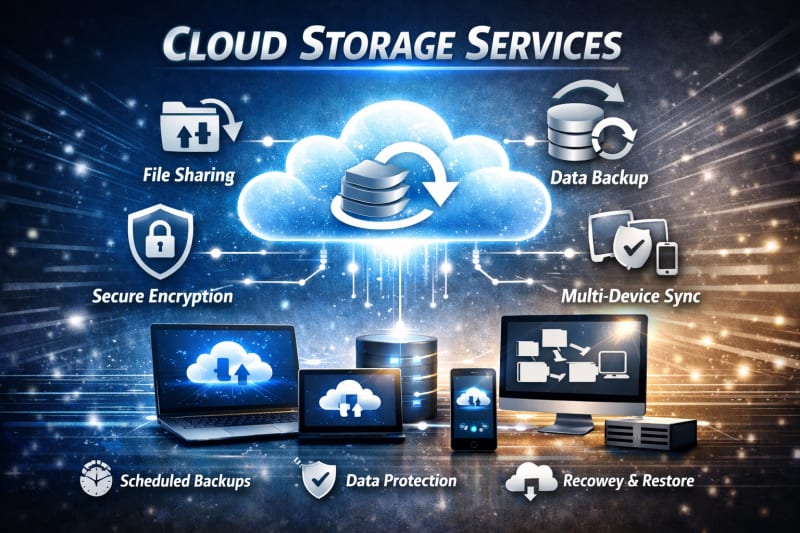
Business data has become one of the most valuable assets for modern companies. Documents, customer information, financial records, marketing materials, and operational files all need to be stored safely and accessed when needed.
For many Nigerian businesses, traditional storage methods such as keeping files on individual computers, USB drives, or external hard drives come with risks.
Devices can get damaged, stolen, or lost, leading to serious data loss.
Cloud storage provides a more flexible way for businesses to store, manage, and access important files online. Instead of depending only on physical storage devices, businesses can keep their information securely on remote servers and access it from different locations.
Small businesses, schools, startups, agencies, and growing companies in Nigeria can use cloud storage to improve collaboration, reduce storage costs, and protect important business information.
However, choosing the right cloud storage solution requires understanding factors such as storage capacity, security features, pricing, internet requirements, and business needs.
This guide explains everything Nigerian businesses need to know about cloud storage, including its benefits, challenges, best solutions, security practices, and how to choose the right option.
What Is Cloud Storage?
Cloud storage is a technology that allows individuals and businesses to store digital files on remote servers managed by a service provider instead of keeping all data only on local devices such as computers, hard drives, or USB drives.
The files are stored securely in data centers and can be accessed through the internet using devices such as laptops, smartphones, and tablets.
Examples of files businesses can store in the cloud include:
- Business documents
- Accounting records
- Customer information
- Images and videos
- Contracts and agreements
- Marketing materials
- Employee files
- Software backups
How Cloud Storage Works
When a business uploads a file to a cloud storage platform, the file is transferred through the internet and saved on the provider's servers.
The provider manages:
- Data storage infrastructure
- Server maintenance
- Security systems
- File availability
- Backup processes
Users can then access their files by signing into their cloud account. For broader information, read How Nigerian SMEs Can Use Cloud Storage to Improve Business Efficiency(2026)
For example, a business owner in Abuja can upload a document and later access it from a smartphone in Lagos or share it with an employee working remotely.
Cloud Storage vs Traditional Storage
Traditional storage depends on physical devices such as:
- Laptop storage
- External hard drives
- USB flash drives
- Office servers
While these options can be useful, they have limitations:
- Devices can fail
- Files can be lost or damaged
- Access is limited to where the device is located
- Sharing files can be difficult
Cloud storage reduces these challenges by allowing businesses to store and access files online.
Why Cloud Storage Is Important for Businesses
Modern businesses generate large amounts of digital information every day. Without a proper storage system, important files can become difficult to manage and protect.
Cloud storage helps businesses:
- Organize files better
- Access information from anywhere
- Collaborate with team members
- Protect against data loss
- Scale storage as the business grows
For Nigerian businesses moving toward digital operations, cloud storage provides a practical way to manage information without investing heavily in physical storage infrastructure.
How Cloud Storage Works for Nigerian Businesses
Cloud storage works by moving business files from local devices to secure online servers managed by cloud service providers. Instead of storing every important document on one computer or physical device, businesses can save their files in a digital environment that can be accessed whenever needed.
Understanding how cloud storage works helps business owners make better decisions about file management and security. You can check out this high-performance laptop too, Lenovo ThinkPad E15 Gen 4 Laptop .
1. Uploading Files to the Cloud
The process begins when a user uploads files to a cloud storage platform.
Examples of files businesses may upload include:
- Customer records
- Business documents
- Product images
- Financial reports
- Training materials
- Employee information
The files are transferred through the internet and stored on the provider's servers.
2. Data Storage on Remote Servers
Cloud providers operate large data centers where business files are stored.
These providers manage:
- Server hardware
- Storage systems
- Security infrastructure
- Maintenance
- System updates
This removes the need for many small businesses to purchase and maintain expensive storage equipment.
3. Accessing Files From Different Devices
One major advantage of cloud storage is accessibility.
A business owner can access files using:
- Office computers
- Personal laptops
- Smartphones
- Tablets
For example, a school administrator can access student records in the office, while an authorized staff member can review documents remotely.
4. File Synchronization
Cloud storage platforms often include synchronization features.
When a file is updated on one device, the changes can automatically appear on other connected devices. Are you looking for the best cloud storage services in Nigeria? Explore 8 Best Cloud Storage Services for Small Businesses in Nigeria(2026).
This helps teams work with the latest version of documents.
5. Sharing and Collaboration
Cloud storage makes teamwork easier by allowing businesses to share files with authorized users.
Teams can:
- Review documents
- Edit files together
- Share folders
- Control access permissions
This is useful for businesses with remote workers or multiple branches.
6. Backup and Recovery
Many cloud storage services provide backup features that help businesses recover files after:
- Device failure
- Accidental deletion
- Data loss incidents
Some platforms keep previous versions of files, allowing users to restore earlier copies.
7. Security Management
Cloud providers use security measures such as:
- Encryption
- Account authentication
- Access controls
- Monitoring systems
However, businesses must still follow good security practices, such as using strong passwords and controlling who can access sensitive information. Also look out for a great memory laptop for heavy duties online or offline: Apple MacBook Pro 16-inch.
Cloud storage works by combining online accessibility, secure storage, and collaboration features. For Nigerian businesses, it provides a practical way to manage digital files without depending only on physical storage devices.
Benefits of Cloud Storage for Nigerian Businesses
Cloud storage offers several advantages for Nigerian businesses, especially as more companies move their operations online. From protecting important files to improving teamwork, cloud solutions can help businesses operate more efficiently.
1. Protection Against Data Loss
One of the biggest benefits of cloud storage is improved data protection.
Businesses can lose important files because of:
- Laptop damage
- Hard drive failure
- Theft
- Accidental deletion
- Office incidents
Storing files in the cloud provides an additional layer of protection because important data is not kept in only one physical location.
2. Access Files From Anywhere
Cloud storage allows authorized users to access business files from different locations.
For Nigerian businesses, this is useful for:
- Business owners working remotely
- Employees travelling between locations
- Teams working from different cities
- Accessing documents during meetings
A file stored online can be available whenever there is a reliable internet connection.
3. Easier Team Collaboration
Businesses often need multiple people to work on the same files.
Cloud storage makes collaboration easier by allowing teams to:
- Share folders
- Review documents
- Edit files together
- Track changes
This reduces the need to send multiple file versions through email or messaging platforms.
4. Lower Storage Costs
Traditional storage systems may require businesses to purchase:
- External hard drives
- Office servers
- Maintenance equipment
Cloud storage reduces the need for expensive hardware investments. Many providers offer flexible plans that allow businesses to pay based on their storage needs.
5. Improved Business Continuity
Unexpected events can interrupt business operations.
Cloud storage helps businesses continue working after problems such as:
- Computer failure
- Office relocation
- Device loss
Employees can access important information from another device instead of waiting for damaged hardware to be repaired. Here are some cloud storage security tips your business may need: Cloud Storage Security Tips for Nigerian Businesses(2026).
6. Better File Organization
Cloud platforms help businesses organize files using:
- Folders
- Search tools
- File labels
- Access permissions
This makes it easier to find important documents quickly.
7. Easy Scalability
As a business grows, its storage needs increase.
Cloud storage allows businesses to:
- Add more storage space
- Create additional user accounts
- Adjust plans based on changing needs
This is useful for startups and small businesses that are expanding.
8. Professional Business Operations
Using cloud storage can improve how a business manages information.
It helps businesses create better systems for:
- Document management
- Employee collaboration
- Customer record keeping
- Digital workflows
For Nigerian businesses seeking affordable ways to improve efficiency and protect important information, cloud storage provides a practical digital solution.
Challenges Nigerian Businesses Face With Traditional Storage Methods
Many Nigerian businesses still depend on traditional storage methods such as laptop storage, USB drives, external hard drives, and physical files.
While these methods may appear simple and affordable, they can create challenges as businesses grow and handle more digital information.
Understanding these challenges helps business owners see why cloud storage has become an important alternative.
1. Risk of Data Loss
Physical storage devices can fail unexpectedly.
Common causes of data loss include:
- Hard drive failure
- Damaged computers
- Lost USB drives
- Accidental deletion
- Theft
When important files exist in only one location, recovering them can be difficult or impossible.
2. Limited Access to Business Files
Traditional storage often ties files to a specific device or location.
For example:
- A document saved on an office computer may not be available when working remotely.
- Files stored on a USB drive require carrying the device everywhere.
This limits flexibility for business owners and employees.
3. Difficulty Sharing Files
Sharing large files through traditional methods can be inconvenient.
Businesses may rely on:
- USB transfers
- Email attachments
- Messaging apps
These methods can create problems such as:
- Multiple outdated file versions
- Storage limitations
- Difficulty tracking changes
4. Hardware Replacement Costs
Physical storage requires ongoing investment.
Businesses may need to replace:
- Failed hard drives
- Damaged computers
- Outdated storage devices
These costs can add up over time.
5. Poor File Organization
As businesses accumulate more documents, managing files becomes harder.
Without a proper system, businesses may struggle with:
- Finding important documents
- Tracking file updates
- Managing employee access
6. Security Risks
Physical files and devices can be exposed to security problems.
Examples include:
- Unauthorized access
- Lost devices containing sensitive information
- Malware infections
- Poor backup practices
7. Difficulty Supporting Remote Work
Modern businesses increasingly need flexible work arrangements.
Traditional storage makes remote work harder because employees may not have access to necessary files outside the office.
8. Limited Backup Options
Many small businesses store files in only one location.
If that storage device fails, important business information may be lost.
A proper backup system is essential for protecting valuable data.
Traditional storage methods still have their uses, but they become less effective as businesses grow. You can also learn more about backing up business data by exploring How to Back Up Business Data in Nigeria: Complete Guide for SMEs (2026).
Cloud storage addresses many of these limitations by providing flexible access, improved backup options, and better collaboration tools.
Types of Cloud Storage Solutions for Businesses
Cloud storage is not a one-size-fits-all solution. Different businesses have different storage needs depending on their size, number of users, security requirements, and type of information they handle.
Understanding the main types of cloud storage solutions helps Nigerian businesses choose an option that matches their goals.
1. Personal Cloud Storage
Personal cloud storage is designed mainly for individual users and very small businesses.
It is suitable for:
- Freelancers
- Solo entrepreneurs
- Small business owners managing their own files
Common uses include:
- Document storage
- Personal backups
- File access across devices
While affordable, personal plans may have limited features for team collaboration and business management.
2. Business Cloud Storage
Business cloud storage is designed for companies that need multiple users to access and manage files.
It usually includes features such as:
- Team folders
- User permissions
- File sharing controls
- Collaboration tools
- Administrative management
This option is suitable for:
- Small and medium businesses
- Schools
- Agencies
- Startups
3. Enterprise Cloud Storage
Enterprise cloud storage is built for large organizations with complex data requirements.
It provides advanced features such as:
- Enhanced security controls
- Compliance management
- Advanced user management
- Large-scale storage capacity
This option is usually used by organizations handling large volumes of sensitive information.
4. Cloud Backup Solutions
Cloud backup focuses on automatically creating copies of important data.
It is designed to protect businesses against:
- Hardware failure
- Accidental deletion
- Data loss incidents
Backup solutions are especially useful for businesses that need strong disaster recovery plans.
5. File Synchronization Services
File synchronization tools keep files updated across multiple devices.
For example:
- A document edited on an office computer can automatically update on a laptop or smartphone.
These solutions are useful for teams that frequently work on shared files.
6. Object Storage Solutions
Object storage is designed for handling large amounts of unstructured data.
It is commonly used for:
- Website files
- Application data
- Large media libraries
- Business archives
This option is more common among technology companies and businesses with advanced storage needs.
7. Hybrid Cloud Storage
Hybrid storage combines cloud storage with local storage systems.
Businesses may keep:
- Frequently used files locally
- Important backups in the cloud
This approach can provide flexibility and additional control.
Choosing the right cloud storage type depends on the business size, budget, security needs, and how employees work with information. Nigerian businesses should focus on solutions that provide reliable access, strong security, and room for future growth.
Best Cloud Storage Solutions for Nigerian Businesses
The best cloud storage solution for a Nigerian business depends on factors such as company size, budget, security requirements, collaboration needs, and the type of files being stored.
Several international cloud platforms provide reliable storage services that businesses in Nigeria can use for managing documents, backups, and team collaboration.
1. Google Drive
Google Drive provides a popular cloud storage solution used by individuals, schools, startups, and businesses worldwide.
Key features include:
- File storage and synchronization
- Document collaboration through Google Workspace
- File sharing controls
- Access across multiple devices
Google Drive is suitable for businesses that already use tools such as Gmail, Google Docs, and Google Sheets.
2. Microsoft OneDrive
offers OneDrive as part of its Microsoft 365 ecosystem.
It works well for businesses that use:
- Microsoft Word
- Excel
- PowerPoint
- Teams
Benefits include:
- Business file storage
- Real-time collaboration
- Integration with Microsoft applications
- Security management features
3. Dropbox
is known for simple file synchronization and sharing.
It is useful for businesses that need:
- Easy file sharing
- Team folders
- Document collaboration
- Access across devices
Many creative teams and small businesses use Dropbox for managing project files.
4. iCloud Drive
provide