
Bluetooth vs 2.4GHz Wireless Keyboard and Mouse: Which Is Better in 2026?
By Clarity Tech
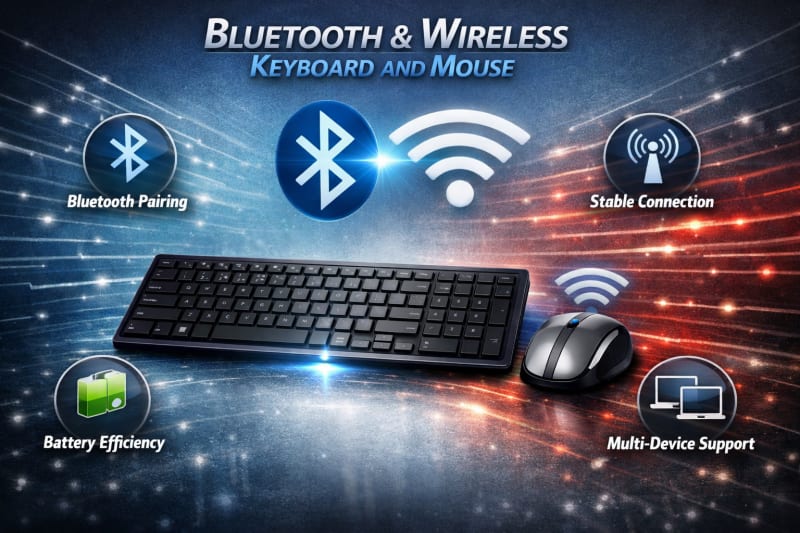
Wireless keyboards and mice have become popular alternatives to traditional wired accessories because they provide a cleaner workspace, greater flexibility, and easier device management. However, not all wireless devices use the same connection technology.
The two most common wireless connection methods are Bluetooth and 2.4GHz wireless technology. While both allow keyboards and mice to connect without cables, they work differently and offer different advantages depending on how you use them.
For laptop users, office workers, gamers, students, and professionals in Nigeria, understanding the difference between Bluetooth and 2.4GHz wireless keyboards and mice can help you choose the right option.
This guide compares both technologies based on connection reliability, speed, compatibility, battery usage, range, and practical use cases to help you decide which one is better for your needs.
What Is a Bluetooth Wireless Keyboard and Mouse?
A Bluetooth wireless keyboard and mouse is a computer accessory that connects to a device using Bluetooth technology instead of a physical cable or USB receiver.
Bluetooth is a short-range wireless communication technology built into many modern laptops, tablets, smartphones, and desktop computers. It allows compatible devices to exchange data directly without requiring an additional receiver. A related guide for wireless keyboards and mice is this 6 Best Wireless Gaming Keyboards and Mice in Nigeria(2026).
With a Bluetooth keyboard and mouse, users can connect their accessories by pairing them through the device settings. Once connected, the keyboard sends typing commands and the mouse sends movement and click signals wirelessly.
Advantages of Bluetooth Wireless Keyboards and Mice
Bluetooth models offer several benefits, including:
1. No USB Receiver Required
One of the biggest advantages of Bluetooth devices is that they do not need a separate USB dongle. This is useful for modern laptops that have fewer USB ports.
2. Better Portability
Since there is no receiver to carry, Bluetooth accessories are convenient for people who travel frequently with their laptops.
3. Multi-Device Connectivity
Many Bluetooth keyboards and mice can connect to multiple devices and allow users to switch between them easily.
This is useful for people who use:
- A laptop
- A tablet
- A smartphone
- Multiple computers
4. Cleaner Workspace
Removing the need for a USB receiver creates a simpler and more organised workspace.
Limitations of Bluetooth Wireless Keyboards and Mice
Despite their advantages, Bluetooth devices also have some limitations:
- Initial pairing may require extra setup
- Compatibility depends on Bluetooth support
- Some older computers may not support Bluetooth
- Performance can vary depending on device quality
Bluetooth wireless keyboards and mice are excellent choices for users who value portability, flexibility, and a cable-free setup, especially laptop users and professionals who work across multiple devices.
What Is a 2.4GHz Wireless Keyboard and Mouse?
A 2.4GHz wireless keyboard and mouse uses a dedicated wireless receiver to connect with a computer or laptop. The receiver is usually a small USB device that plugs into the computer, allowing the keyboard and mouse to communicate wirelessly.
Unlike Bluetooth, which depends on built-in device support, 2.4GHz wireless technology creates a direct connection through the included USB receiver.
This makes many models simple to set up because users only need to plug in the receiver and start using the devices. For expanded knowledge, read 7 Best Wireless Keyboards and Mice in Nigeria.
Advantages of 2.4GHz Wireless Keyboards and Mice
1. Simple Plug-and-Play Setup
Most 2.4GHz wireless accessories are easy to install. After connecting the USB receiver, the keyboard and mouse are usually ready to use without additional pairing steps.
2. Stable Connection
A dedicated receiver often provides a reliable connection with minimal interruptions during normal use.
This makes 2.4GHz models popular for:
- Office work
- Desktop computers
- Home users
- Everyday productivity tasks
3. Wide Compatibility
Many 2.4GHz wireless keyboards and mice work with a wide range of computers because most laptops and desktops include USB ports.
4. Low Input Delay
Many modern 2.4GHz wireless devices provide fast response times, making them suitable for users who need quick and consistent performance.
Limitations of 2.4GHz Wireless Keyboards and Mice
Despite their benefits, they also have some drawbacks:
- They require an available USB port
- The receiver can be lost because of its small size
- Some devices cannot switch easily between multiple computers
- USB ports may be limited on some modern laptops
A 2.4GHz wireless keyboard and mouse is a practical choice for users who want a reliable connection, easy setup, and consistent everyday performance.
Bluetooth vs 2.4GHz Wireless Keyboard and Mouse: Key Differences
Although Bluetooth and 2.4GHz wireless keyboards and mice serve the same purpose, their technologies provide different experiences. Understanding these differences helps you choose the option that best fits your work, gaming, or personal needs. LENOVO AIO Neo 50a-24 G5 is a great system you may want to explore.
1. Connection Method
The main difference is how the devices connect.
Bluetooth:
- Connects directly to devices with Bluetooth support
- Does not require a USB receiver
- Requires pairing through device settings
2.4GHz Wireless:
- Uses a dedicated USB receiver
- Usually connects automatically after plugging in the receiver
- Does not depend on built-in Bluetooth support
2. Ease of Setup
2.4GHz wireless devices are often easier for beginners because they typically use a plug-and-play setup.
Bluetooth devices may require:
- Turning on Bluetooth
- Searching for available devices
- Pairing the keyboard and mouse
However, once paired, Bluetooth devices are usually convenient to use.
3. Compatibility
Compatibility depends on the devices you want to connect.
Bluetooth is ideal for:
- Modern laptops
- Tablets
- Smartphones
- Devices with limited USB ports
2.4GHz wireless is ideal for:
- Desktop computers
- Older laptops
- Devices with available USB ports
4. Connection Stability
Both technologies can provide reliable performance when using quality products.
2.4GHz wireless often has an advantage for users who want a dedicated connection with minimal setup.
Bluetooth performance depends more on:
- Device compatibility
- Bluetooth version
- Interference from nearby devices
5. Portability
Bluetooth has an advantage for people who travel frequently because there is no receiver to carry.
2.4GHz devices require a USB receiver, which can be inconvenient if it is misplaced.
6. Gaming Performance
For gaming, connection speed and latency are important.
Many modern 2.4GHz gaming keyboards and mice are designed for fast response times and stable performance.
Bluetooth devices can work for casual gaming but may not always provide the responsiveness required for competitive gaming.
7. Battery Efficiency
Battery performance depends on the specific product design.
Bluetooth devices are often designed for low power consumption, while many 2.4GHz devices also offer excellent battery life through improved wireless technology.
The actual battery performance depends on:
- Device quality
- Usage pattern
- Power-saving features
Both Bluetooth and 2.4GHz wireless keyboards and mice have strengths and weaknesses. The best option depends on whether you prioritise portability, compatibility, connection stability, or performance.
Which Is Better for Different Users in Nigeria?
The better choice between Bluetooth and 2.4GHz wireless keyboards and mice depends on how you plan to use them. Different users have different priorities, so the ideal connection type may vary.
Best Choice for Laptop Users
For many laptop users, Bluetooth wireless keyboards and mice are a convenient option.
Reasons include:
- No USB receiver required
- More available USB ports
- Easier portability
- Better for modern slim laptops
Students, remote workers, and professionals who move around frequently may prefer Bluetooth accessories because they are easier to carry.
Best Choice for Office Workers
For office environments, both options can work well. However, 2.4GHz wireless devices are often preferred because of their simple setup and reliable connection.
They are suitable for:
- Desktop computers
- Shared workstations
- Business offices
- Everyday productivity tasks
A plug-and-play USB receiver makes deployment easier when multiple employees need the same type of accessory.
Best Choice for Gamers
For gamers, especially those who play competitive games, 2.4GHz wireless technology is usually the better option.
Gaming-focused 2.4GHz keyboards and mice often provide:
- Lower latency
- Faster response times
- More consistent connections
Bluetooth can work for casual gaming, but many serious gamers prefer dedicated wireless technology.
Best Choice for Content Creators
Content creators who edit videos, design graphics, write, or manage digital projects should consider their workflow.
Bluetooth may be better for creators who:
- Use multiple devices
- Travel frequently
- Work with laptops and tablets
2.4GHz may be better for creators who:
- Use desktop workstations
- Need reliable daily performance
- Prefer simple setup
Best Choice for Students
Students often need affordability, portability, and convenience.
A Bluetooth keyboard and mouse can be useful for students who:
- Use laptops regularly
- Attend classes in different locations
- Need to save USB ports
However, affordable 2.4GHz options can also provide excellent value for basic school and study tasks.
Best Overall Choice
There is no universal winner between Bluetooth and 2.4GHz wireless technology.
Choose Bluetooth if you value:
- Portability
- Multi-device use
- Fewer accessories
Choose 2.4GHz wireless if you value:
- Easy setup
- Stable connection
- Reliable everyday performance
The right choice depends on your device, working style, and personal preferences.
Common Mistakes When Choosing Between Bluetooth and 2.4GHz Wireless Devices
Choosing between Bluetooth and 2.4GHz wireless keyboards and mice requires understanding your actual needs. Many buyers make decisions based only on price or appearance and later discover that the device does not match their requirements.
Avoiding these common mistakes can help you make a better purchase.
1. Choosing Without Checking Device Compatibility
One of the biggest mistakes is buying a wireless keyboard and mouse without confirming if it works with your device.
Before purchasing, check:
- Does your laptop or computer support Bluetooth?
- Does it have available USB ports?
- Is the operating system supported?
- Does the accessory work with your specific device?
Checking compatibility prevents connection issues after purchase.
2. Buying Bluetooth Because It Is Newer
Some users assume Bluetooth is always better because it is a modern technology. However, Bluetooth is not automatically the best choice for every situation.
For example:
- A desktop office computer may work better with a 2.4GHz receiver
- A laptop user may benefit more from Bluetooth portability
The best option depends on your usage.
3. Ignoring Wireless Performance
Not all wireless keyboards and mice provide the same level of performance.
Consider:
- Connection stability
- Response time
- Wireless range
- Interference resistance
This is especially important for gamers and professionals who need reliable performance.
4. Forgetting About USB Port Limitations
Many modern laptops have fewer USB ports than older models. Buying a 2.4GHz wireless device without considering this can create inconvenience.
If your laptop has limited ports, Bluetooth may be a better option.
5. Focusing Only on Price
A cheap wireless keyboard and mouse may save money initially but may provide poor durability, battery life, or connection quality.
Consider the overall value, including:
- Build quality
- Battery performance
- Comfort
- Reliability
6. Choosing the Wrong Option for Your Usage
Different users have different requirements.
A gamer, office worker, student, and traveller may not need the same type of wireless connection.
Always consider how you will use the keyboard and mouse before deciding.
By avoiding these mistakes, you can select a wireless keyboard and mouse that provides the right balance of convenience, performance, and reliability.
Conclusion
Both Bluetooth and 2.4GHz wireless keyboards and mice offer convenient alternatives to wired accessories, but the better choice depends on your specific needs.
Bluetooth devices are excellent for users who value portability, multi-device connectivity, and a cleaner setup. They are especially suitable for laptop users, students, and professionals who work across different devices.
On the other hand, 2.4GHz wireless keyboards and mice are ideal for users who want a simple setup, stable connection, and reliable everyday performance. They are commonly preferred for office work, desktop computers, and gaming setups.
Before choosing between the two technologies, consider your device compatibility, workspace, usage pattern, battery expectations, and performance requirements.
For most Nigerian users, there is no single winner. A Bluetooth keyboard and mouse may be the best option for a mobile lifestyle, while a 2.4GHz wireless setup may provide better convenience for a fixed workstation. The right choice is the one that matches how you use your devices.