
6 Best Wireless Keyboard and Mouse for Laptop Users in Nigeria
By Clarity Tech
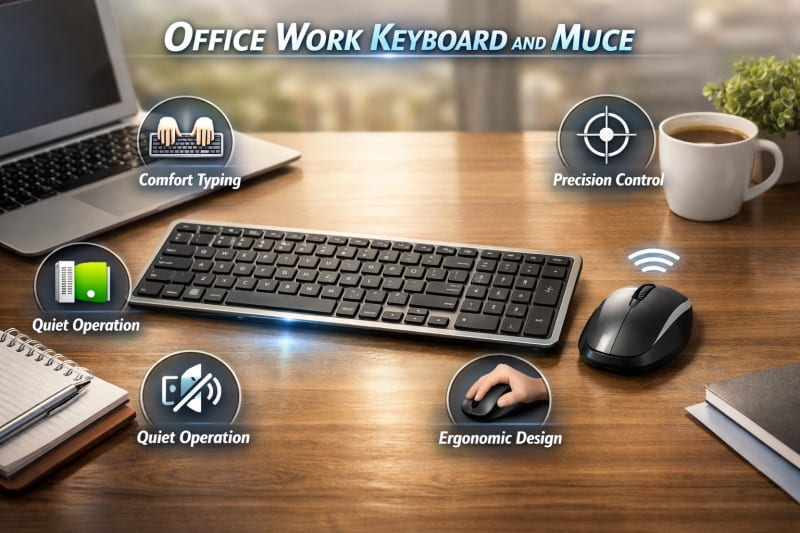
Laptops provide portability and convenience, but their built-in keyboards and touchpads are not always comfortable for long working sessions. For users who spend several hours typing, designing, studying, or managing tasks on a laptop, adding a wireless keyboard and mouse can create a more comfortable and productive setup.
A wireless keyboard and mouse allow laptop users to enjoy a desktop-like experience without dealing with cable clutter. They provide better typing comfort, improved navigation, and more flexibility when arranging a workspace at home, in the office, or while travelling.
For Nigerian laptop users, wireless accessories are available in different designs, connection types, and price ranges. However, choosing the right option requires considering factors such as compatibility, portability, battery life, connection stability, and overall performance.
This guide explains the best wireless keyboard and mouse options for laptop users in Nigeria, the features to look for before buying, and how to choose accessories that match your needs and budget. For detailed information about wireless keyboards and mice, read 6 Best Wireless Keyboard and Mouse for Office Work in Nigeria(2026)
Why Laptop Users Should Consider a Wireless Keyboard and Mouse
Although laptops are designed for portability, using the built-in keyboard and touchpad for extended periods can sometimes affect comfort and productivity. A wireless keyboard and mouse can transform a laptop into a more convenient workstation while maintaining the flexibility that laptops provide.
1. Improved Typing Comfort
Laptop keyboards are usually compact because manufacturers prioritise portability. For users who type frequently, this smaller layout may not provide the same comfort as a full-size keyboard.
A wireless keyboard offers:
- Larger and more comfortable keys
- Better key spacing
- A familiar desktop typing experience
- More flexibility in positioning
This is especially useful for writers, students, programmers, and professionals who spend many hours typing.
2. Better Navigation Experience
While laptop touchpads are useful for quick tasks, many users prefer the accuracy and speed of a dedicated mouse.
A wireless mouse provides:
- More precise cursor control
- Faster navigation
- Better scrolling experience
- Improved comfort during long sessions
This is valuable for tasks such as graphic design, spreadsheets, editing, and general productivity.
3. Creates a Better Laptop Workstation
A wireless keyboard and mouse allow you to position your laptop at a more comfortable viewing angle while using external accessories.
Many users combine them with:
- Laptop stands
- External monitors
- Desk setups
This creates a more organised and ergonomic workspace.
4. Reduces Cable Clutter
One of the main advantages of wireless accessories is the cleaner setup they provide. Without cables connecting your laptop to your keyboard and mouse, your workspace becomes easier to organise and manage.
This is useful for:
- Home offices
- Small workspaces
- Students with limited desk space
- Remote workers
5. Easy to Carry and Use Anywhere
Wireless keyboard and mouse sets are practical for laptop users who move between locations.
Students, freelancers, and business professionals can easily carry compact wireless accessories and set up a comfortable workspace wherever they work.
For many laptop users in Nigeria, a wireless keyboard and mouse is a simple upgrade that improves comfort, productivity, and the overall computing experience.
Important Features to Look for in a Wireless Keyboard and Mouse for Laptops
Choosing a wireless keyboard and mouse for a laptop requires paying attention to features that improve convenience, portability, and performance. Since laptop users often work in different locations, the right accessories should be reliable and easy to use. Check out Xbox Series X 2TB SSD.
1. Compact and Portable Design
Laptop users value portability, so a wireless keyboard and mouse should not be too bulky or difficult to carry.
A good portable set should be:
- Lightweight
- Easy to pack in a laptop bag
- Durable enough for regular movement
- Comfortable enough for daily use
Compact models are especially useful for students, travellers, and remote workers.
2. Compatibility With Your Laptop
Before purchasing, confirm that the wireless keyboard and mouse work with your laptop.
Consider:
- Operating system support
- Bluetooth availability
- USB port requirements
- Device compatibility
Most wireless accessories support Windows laptops, while some also work with macOS, tablets, and other devices.
3. Bluetooth vs USB Receiver Connection
Laptop users should consider the type of wireless connection they prefer.
Bluetooth models:
- Do not require a USB receiver
- Save laptop USB ports
- Are convenient for modern laptops
USB receiver models:
- Offer simple plug-and-play setup
- Work with most laptops
- Provide stable connections
The best option depends on your laptop ports and how you plan to use the accessories.
4. Battery Life
A laptop user who moves frequently needs accessories that can last for extended periods.
Look for:
- Long-lasting batteries
- Rechargeable options
- Battery-saving features
- Low power consumption
Long battery life reduces interruptions, especially when working away from home.
5. Comfortable Keyboard Layout
The keyboard should provide a comfortable typing experience, especially for users who write frequently.
Important features include:
- Proper key spacing
- Responsive keys
- Quiet operation
- Full-size or compact layout depending on preference
A comfortable keyboard can make long typing sessions easier.
6. Comfortable and Accurate Mouse
A good wireless mouse should complement the laptop experience by offering smooth control.
Consider:
- Comfortable grip
- Accurate sensor
- Responsive buttons
- Suitable size for your hand
A portable mouse should be easy to carry while still providing good usability.
7. Multi-Device Support
Some wireless keyboards and mice allow users to connect to multiple devices and switch between them easily.
This feature is useful for people who use:
- A work laptop
- Personal computer
- Tablet or smartphone
Multi-device support can improve productivity and reduce the need for separate accessories.
When choosing a wireless keyboard and mouse for your laptop, focus on portability, comfort, reliability, and compatibility rather than simply choosing the cheapest option.
Best Types of Wireless Keyboard and Mouse for Laptop Users in Nigeria
Laptop users have different needs depending on how they use their devices. A student who attends online classes, a professional who works remotely, and a content creator who edits videos may require different types of wireless keyboard and mouse sets.
Below are the most suitable categories for different laptop users.
1. Compact Wireless Keyboard and Mouse Sets
Compact wireless sets are designed for users who prioritise portability. They are smaller, lighter, and easier to carry alongside a laptop.
They are ideal for:
- Students
- Travellers
- Remote workers
- People with small workspaces
Their main advantage is convenience, although some users may prefer larger keyboards for extensive typing.
2. Bluetooth Wireless Keyboard and Mouse Sets
Bluetooth models are a great choice for modern laptop users because they connect directly without requiring a USB receiver.
Benefits include:
- Fewer accessories to carry
- More available USB ports
- Easy connection with compatible devices
- Cleaner workspace setup
They are particularly useful for laptops with limited USB ports.
3. Ergonomic Wireless Keyboard and Mouse Sets
Ergonomic models focus on comfort and are suitable for people who spend many hours working on laptops.
They often include:
- Comfortable keyboard angles
- Wrist-friendly designs
- Better mouse shapes
- Reduced hand strain
These are useful for professionals, writers, programmers, and business users.
4. Multi-Device Wireless Keyboard and Mouse Sets
Multi-device models allow users to connect and switch between multiple devices using one keyboard and mouse.
They are useful for people who work with:
- Laptop computers
- Tablets
- Smartphones
- Multiple work devices
This reduces the need to buy separate accessories for each device.
5. Rechargeable Wireless Keyboard and Mouse Sets
Rechargeable models use built-in batteries that can be charged instead of replaced.
Advantages include:
- Reduced battery costs
- More environmentally friendly operation
- Convenient charging
They are suitable for users who prefer low-maintenance accessories. You may like this product called HP ScanJet Pro 3600 f1 Scanner.
6. Gaming Wireless Keyboard and Mouse Sets for Laptop Gamers
Laptop gamers who need more flexibility may prefer wireless gaming accessories.
These models usually offer:
- Faster response times
- Higher mouse sensitivity
- Customisable buttons
- Gaming-focused designs
However, they are often more expensive than standard productivity models.
The right type depends on your laptop usage, budget, and working style. For most users, a compact, reliable wireless keyboard and mouse with good battery life provides the best balance between convenience and performance.
Best Wireless Keyboard and Mouse Recommendations for Laptop Users in Nigeria
The best wireless keyboard and mouse for a laptop depends on factors such as portability, comfort, battery life, connectivity, and budget. Different users require different features, so the ideal choice for a student may not be the same as the best option for a professional or content creator.
Here are some reliable options and categories to consider.
1. Logitech Wireless Keyboard and Mouse Sets
Logitech is one of the most popular choices among laptop users because of its combination of reliability, comfort, and battery efficiency.
Many Logitech models offer:
- Comfortable typing experience
- Reliable wireless connection
- Long battery life
- Compact designs
- Compatibility with different devices
Best for:
- Professionals
- Students
- Remote workers
- Everyday laptop users
2. HP Wireless Keyboard and Mouse Sets
HP wireless accessories are a practical choice for laptop users who want simple, dependable performance.
They are suitable for:
- Office tasks
- Online learning
- Browsing
- General productivity
Their plug-and-play models are especially convenient for users who want quick setup.
3. Microsoft Wireless Keyboard and Mouse Sets
Microsoft offers accessories designed for productivity and comfortable everyday use.
They are a good choice for:
- Windows laptop users
- Business professionals
- Users who value ergonomic designs
4. Lenovo Wireless Keyboard and Mouse Sets
Lenovo provides affordable options that balance portability and performance.
They are suitable for:
- Students
- Home users
- Budget-conscious buyers
5. Rapoo Wireless Keyboard and Mouse Sets
Rapoo is popular among users looking for affordable wireless accessories with decent features.
They are a good option for:
- Basic laptop tasks
- Students
- Users with limited budgets
6. Compact Bluetooth Keyboard and Mouse Sets
For users who travel frequently or use thin laptops with limited USB ports, compact Bluetooth accessories are highly convenient.
They offer:
- Easy portability
- Reduced cable clutter
- Simple device switching
Choosing the Right Option
When selecting a wireless keyboard and mouse for your laptop, focus on your actual needs.
- For everyday work and study, choose a reliable and comfortable basic model.
- For professional use, prioritise durability, battery life, and ergonomic features.
- For frequent travel, choose a lightweight Bluetooth option.
- For creative work, choose a model with better typing comfort and mouse precision.
The best wireless keyboard and mouse is not always the most expensive one. It is the one that fits your laptop usage, workspace, and budget.
Common Mistakes to Avoid When Buying a Wireless Keyboard and Mouse for a Laptop
Buying a wireless keyboard and mouse for a laptop may seem simple, but many users make mistakes that affect their experience. Understanding these common mistakes can help you choose accessories that provide better performance and long-term value.
1. Choosing Price Over Quality
One of the most common mistakes is buying the cheapest option without considering build quality and reliability.
While affordable models can handle basic tasks, extremely low-priced products may have:
- Poor battery performance
- Uncomfortable designs
- Weak wireless connections
- Shorter lifespans
A slightly higher investment can often provide better durability and comfort.
2. Ignoring Compatibility
Not every wireless keyboard and mouse works with every laptop. Some users buy accessories without checking connection requirements.
Before purchasing, confirm:
- Your laptop's operating system
- Bluetooth availability
- USB port requirements
- Device compatibility
This helps prevent connection problems after purchase.
3. Buying a Large and Heavy Set for Travel
Laptop users often choose wireless accessories because they want flexibility. Buying a bulky keyboard and mouse can reduce portability.
If you frequently move with your laptop, consider:
- Compact designs
- Lightweight accessories
- Easy storage options
4. Overlooking Battery Life
Poor battery performance can become frustrating, especially for users who work remotely or travel frequently.
Always check:
- Expected battery duration
- Charging method
- Availability of replacement batteries
- Power-saving features
5. Ignoring Comfort
Some buyers focus only on appearance and price while ignoring comfort.
For regular use, consider:
- Keyboard layout
- Key responsiveness
- Mouse grip
- Overall design
Comfort becomes more important when using your laptop for several hours daily.
6. Buying Features You Do Not Need
Premium wireless accessories may include advanced features, but not every user needs them.
For example:
- A student may not need a high-end gaming mouse
- A casual user may not need programmable buttons
- A basic office worker may not need expensive ergonomic equipment
Choose features based on your actual usage rather than paying for unnecessary extras.
7. Not Checking Reviews and Seller Reputation
Buying from unreliable sellers can result in receiving poor-quality or counterfeit products.
Before purchasing:
- Check customer feedback
- Confirm product authenticity
- Review warranty information
- Compare prices from trusted sellers
Avoiding these mistakes will help you choose a wireless keyboard and mouse that improves your laptop experience instead of creating new problems.
Conclusion
A wireless keyboard and mouse is one of the most useful upgrades for laptop users who want better comfort, flexibility, and productivity. While laptop keyboards and touchpads are convenient for portability, external wireless accessories can provide a more comfortable experience for longer working sessions.
The best choice depends on how you use your laptop. Students may prefer compact and affordable options, professionals may need ergonomic designs and long battery life, while remote workers and content creators may benefit from more advanced features.
Before buying, consider important factors such as compatibility, connection type, portability, battery performance, keyboard comfort, and mouse accuracy. Choosing the right wireless keyboard and mouse ensures that you get a setup that matches your lifestyle and work requirements.
For Nigerian laptop users, investing in a reliable wireless keyboard and mouse can make everyday tasks easier, whether you are studying, working, creating content, or managing a business.