
Windows vs MacBook for Remote Work
By Clarity Tech
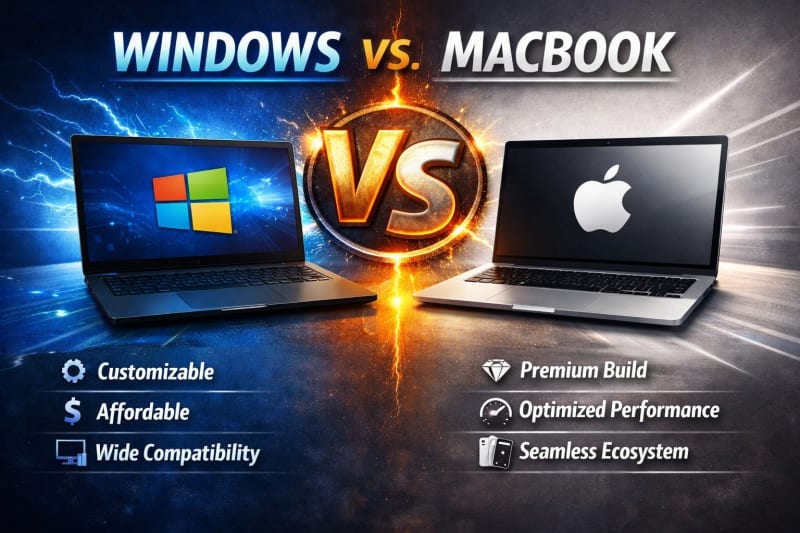
Choosing between a Windows laptop and a MacBook is one of the biggest decisions remote workers face when buying a new computer. Both platforms have loyal users, excellent hardware, and the ability to handle everyday work tasks, but they are designed with different strengths in mind.
For some people, the choice is obvious because their employer requires a specific operating system or they already use software that's available on only one platform. For many others, however, the decision isn't as straightforward.
Should you buy a Windows laptop from brands like Dell, HP, Lenovo, ASUS, or Acer? Or is a MacBook with Apple's M-series chip the better long-term investment?
The answer depends on several factors, including the type of work you do, the software you use, your budget, battery life expectations, portability requirements, and your preferred user experience.
While both platforms are capable of supporting remote work, they differ in important areas such as performance, operating system, hardware options, security, application compatibility, upgradeability, and overall value.
In this guide, we'll compare Windows laptops and MacBooks across the factors that matter most to remote professionals. By the end, you'll have a clear understanding of the strengths and limitations of each platform, making it easier to choose the laptop that best fits your work and long-term needs.
A Quick Comparison
Before comparing specific features, it's useful to understand the main differences between Windows laptops and MacBooks.
Both platforms are capable of handling remote work efficiently. Whether you're attending virtual meetings, responding to emails, creating documents, managing projects, or collaborating with colleagues online, you can be productive with either option. The better choice depends on your work requirements, budget, preferred software, and personal preferences.
One of the biggest advantages of Windows laptops is variety. Manufacturers such as Dell, HP, Lenovo, ASUS, and Acer produce laptops in almost every price range, from affordable entry-level models to premium business machines. This gives buyers far more options in terms of specifications, design, and pricing.
MacBooks, on the other hand, follow a different approach. Apple offers a smaller lineup of laptops, but each model is built to a high standard and powered by its own Apple Silicon processors. Recent MacBooks are widely recognised for their impressive performance, exceptional battery life, quiet operation, and premium build quality.
Software compatibility is another important difference. Windows supports the widest range of applications, including many programs designed specifically for businesses and specialised industries. macOS also supports most popular productivity applications, but some software is available only for Windows.
Upgradeability is worth considering as well. Many Windows laptops allow users to upgrade components such as RAM or storage after purchase, depending on the model. Most modern MacBooks, however, have memory and storage integrated into the device, meaning you'll need to choose the right specifications when buying.
Ultimately, neither platform is universally better than the other.
If you value flexibility, a wide range of hardware options, and laptops at different price points, Windows is an excellent choice.
If you prioritise premium build quality, long battery life, outstanding efficiency, and seamless integration with other Apple devices, a MacBook may be the better investment.
The following sections explore these differences in more detail, helping you determine which platform best suits your remote work needs.
Which Platform Is Faster?
Performance is one of the most important factors to consider when choosing a laptop for remote work. A fast and responsive computer allows you to multitask efficiently, join video meetings without interruptions, and complete your work with minimal delays.
The good news is that both Windows laptops and MacBooks offer excellent performance. The better option depends on the type of work you do and the hardware you choose.
Windows Laptop Performance
Performance varies considerably across Windows laptops because they are produced by multiple manufacturers and are available in a wide range of configurations.
Entry-level models are suitable for everyday tasks such as:
- Web browsing.
- Email.
- Microsoft Office.
- Video conferencing.
- Cloud-based applications.
Mid-range and premium Windows laptops offer significantly more power, making them suitable for:
- Software development.
- Graphic design.
- Video editing.
- Engineering applications.
- Data analysis.
- Heavy multitasking.
Because there are so many hardware options, it's important to compare processors, RAM, and storage rather than relying on brand name alone.
MacBook Performance
Apple's recent MacBooks use the company's own M-series processors, which have earned a strong reputation for combining speed with exceptional energy efficiency.
Even the entry-level MacBook Air performs remarkably well for:
- Office productivity.
- Video conferencing.
- Content creation.
- Programming.
- Photo editing.
- Moderate video editing.
Higher-end MacBook Pro models provide even greater performance for professionals working with demanding creative and technical applications.
One of the biggest strengths of Apple's processors is their ability to maintain fast performance while generating less heat and consuming less battery power.
Everyday Remote Work
For common remote work tasks, most users will notice very little difference between a modern Windows laptop and a recent MacBook.
Activities such as:
- Email.
- Online meetings.
- Web browsing.
- Document editing.
- Project management.
- Cloud collaboration.
run smoothly on both platforms when paired with suitable hardware.
Performance Depends on the Specifications
It's important not to compare operating systems alone.
A premium Windows laptop with a modern processor and sufficient RAM can easily outperform an older MacBook, just as a recent MacBook can outperform a low-cost Windows laptop.
When comparing devices, always evaluate the complete hardware configuration rather than assuming one platform is automatically faster.
Choose Based on Your Workload
If your work mainly involves productivity applications, either platform will provide excellent performance.
If your tasks include software development, professional content creation, or other demanding workloads, both Windows and MacBook offer powerful options capable of handling intensive applications with ease.
The key is choosing hardware that matches your daily workload rather than focusing solely on the operating system.
Both Platforms Deliver Excellent Performance
Modern Windows laptops and MacBooks are both capable of supporting productive remote work.
Instead of asking which platform is universally faster, ask which specific laptop offers the right balance of performance, battery life, software compatibility, and value for the work you do every day.
Software Compatibility
No matter how powerful a laptop is, it won't be the right choice if it can't run the software you depend on every day. Before deciding between a Windows laptop and a MacBook, it's important to ensure that your essential applications are fully supported.
For many remote workers, software compatibility is the single factor that determines which platform makes the most sense.
Windows Supports the Widest Range of Software
One of Windows' greatest strengths is its extensive software compatibility.
Most business, educational, engineering, accounting, and enterprise applications are developed for Windows, making it the preferred platform for many organisations.
Windows is particularly well suited for:
- Microsoft Office.
- Accounting software.
- Engineering and CAD applications.
- Business management software.
- Industry-specific enterprise applications.
- Software development tools.
- Most PC games.
If your employer requires specialised software, there's a good chance it's designed primarily for Windows.
macOS Supports Most Popular Productivity Apps
MacBooks also support a wide range of professional applications.
Most remote workers can comfortably use software such as:
- Microsoft Office.
- Google Workspace.
- Zoom.
- Microsoft Teams.
- Slack.
- Adobe Creative Cloud.
- Web browsers.
- Popular programming tools.
For general productivity, communication, and creative work, macOS provides an excellent software ecosystem.
Check for Platform-Specific Applications
Although many modern applications work on both operating systems, some programs remain platform-specific.
Before buying a laptop, make a list of the software you use regularly and verify that every application is fully supported on your preferred platform.
This simple step can prevent costly mistakes and unnecessary frustration.
Web-Based Applications Reduce the Gap
Today's remote work relies heavily on cloud-based software.
Many commonly used services, including email platforms, project management tools, document collaboration software, and customer relationship management (CRM) systems, operate entirely through a web browser.
Because these applications work on both Windows and macOS, the difference in software compatibility is much smaller than it was a decade ago.
Consider Your Future Needs
Think not only about the software you use today but also about what you may need in the future.
If you're planning to learn programming, graphic design, video editing, or another specialised skill, research which platform is most commonly used in that field.
Choosing the right ecosystem now may save you from switching laptops later.
Compatibility Should Guide Your Decision
For most remote professionals, both Windows and macOS provide everything needed for productive work.
However, if your role depends on specialised software, always verify compatibility before making your purchase.
The best laptop is the one that runs your essential applications reliably, supports your workflow, and allows you to work efficiently without unnecessary limitations.
Battery Life and Portability
For remote workers, a laptop isn't tied to a single desk. You may work from home one day, a coworking space the next, and a café or while travelling on another. That's why battery life and portability are just as important as processing power.
A laptop that's lightweight and lasts all day on a single charge gives you greater flexibility and allows you to work confidently from almost anywhere.
MacBook Battery Life
One of the biggest advantages of recent MacBooks is their exceptional battery performance.
Thanks to Apple's M-series processors, MacBooks are highly energy-efficient while still delivering impressive performance.
Many users can comfortably complete a full workday of activities such as:
- Email.
- Web browsing.
- Video conferencing.
- Document editing.
- Project management.
- Content creation.
without needing to recharge.
For professionals who frequently travel or work away from power outlets, this long battery life is a major advantage.
Windows Laptop Battery Life
Battery life on Windows laptops varies much more because there are hundreds of different models available.
Some premium Windows laptops can easily compete with MacBooks, while budget models may require charging much sooner.
Battery performance depends on factors such as:
- Processor efficiency.
- Battery capacity.
- Display size and brightness.
- Software optimisation.
- Your daily workload.
Reading independent battery tests can provide a more accurate picture than relying solely on the manufacturer's advertised figures.
Portability
Both Windows laptops and MacBooks are available in highly portable designs.
Ultralight Windows models are easy to carry between work locations, while Apple's MacBook Air remains one of the lightest and thinnest laptops available for professionals.
If you travel frequently, consider factors such as:
- Overall weight.
- Laptop thickness.
- Charger size.
- Battery endurance.
- Build durability.
A lightweight laptop can make a noticeable difference if you carry it every day.
Performance vs Battery
Powerful laptops often consume more energy.
If your work involves intensive tasks such as video editing, software development, or 3D design, you may sacrifice some battery life in exchange for higher performance, regardless of whether you choose Windows or macOS. Explore Apple MacBook Air 13-inch for
good performance.
For lighter office tasks, however, both platforms offer laptops capable of lasting through most of the working day.
Which Platform Has the Advantage?
Overall, MacBooks currently have a slight advantage in battery efficiency, especially models powered by Apple's M-series chips.
However, many premium Windows laptops now offer excellent battery performance as well, narrowing the gap considerably.
If battery life is one of your highest priorities, compare individual laptop models rather than assuming every Windows laptop or every MacBook performs the same.
Mobility Matters in Remote Work
A laptop should give you the freedom to work wherever your job takes you.
Whether you choose a Windows laptop or a MacBook, prioritise a model that combines dependable battery life with a lightweight, durable design. Doing so will make remote work more convenient, flexible, and productive over the long term.
Price and Overall Value
Price is often one of the deciding factors when choosing between a Windows laptop and a MacBook. However, the cheapest option isn't always the best value, and the most expensive model isn't automatically the smartest investment. Check out HP OmniBook Ultra Flip 14, it promises great performance.
Instead of looking only at the purchase price, consider what you're getting for your money and how long the laptop is likely to meet your needs.
Windows Laptops Offer More Choice
One of the biggest advantages of Windows laptops is the wide range of prices available.
Whether you're looking for an affordable entry-level device, a mid-range business laptop, or a premium workstation, you'll find numerous options from manufacturers such as Dell, HP, Lenovo, ASUS, Acer, and others.
This variety makes it easier to find a laptop that fits your budget without paying for features you don't need.
MacBooks Are Premium Devices
MacBooks generally cost more than comparable Windows laptops.
Apple focuses on a smaller range of premium products, with an emphasis on build quality, performance, battery life, and integration with the Apple ecosystem.
Although the initial purchase price may be higher, many users believe the overall experience and long lifespan justify the investment.
Consider the Total Cost of Ownership
The purchase price is only one part of the equation.
Also consider:
- Expected lifespan.
- Performance over time.
- Software compatibility.
- Maintenance costs.
- Warranty coverage.
- Resale value.
A laptop that remains fast and reliable for several years may provide better value than a cheaper model that needs replacing much sooner.
Upgradeability Can Affect Value
Many Windows laptops allow you to upgrade components such as RAM or storage later.
This can extend the laptop's lifespan and reduce future upgrade costs.
Most modern MacBooks do not offer this flexibility, so it's important to choose the right specifications when making your purchase.
Which Platform Offers Better Value?
The answer depends on your priorities.
If your goal is to maximise performance within a limited budget, Windows laptops usually provide more options and greater flexibility.
If you value premium hardware, outstanding battery life, excellent performance, and a seamless user experience, a MacBook may represent better long-term value despite its higher upfront cost.
Think Beyond the Price Tag
The best laptop isn't necessarily the least expensive one.
A laptop that improves your productivity, lasts for many years, and meets your professional needs is often the better investment, even if it costs more initially.
When comparing Windows laptops and MacBooks, focus on overall value rather than price alone. That approach is far more likely to lead to a purchase you'll be satisfied with for years to come.
Which One Should You Choose?
After comparing performance, software compatibility, battery life, portability, and price, you may still be wondering which platform is the better choice for remote work.
The truth is that there isn't a single winner for everyone. The right decision depends on your work requirements, budget, preferred software, and personal preferences.
Choose a Windows Laptop If...
A Windows laptop may be the better option if you:
- Want the widest selection of laptops across different price ranges.
- Need a budget-friendly device with good performance.
- Use software that's available only on Windows.
- Prefer having more hardware configurations to choose from.
- Want the flexibility to upgrade RAM or storage on certain models.
- Need a laptop for gaming in addition to work.
Windows is ideal for users who value choice, flexibility, and compatibility with a broad range of software.
Choose a MacBook If...
A MacBook may be the better choice if you:
- Prefer the macOS operating system.
- Already use other Apple devices such as an iPhone or iPad.
- Want exceptional battery life.
- Value premium build quality.
- Need excellent performance with quiet operation.
- Work in creative fields such as graphic design, photography, or video editing.
MacBooks are especially attractive to professionals who appreciate a polished user experience and strong integration within the Apple ecosystem.
Consider Your Daily Workflow
Think about how you use your laptop every day.
Ask yourself:
- Which applications do I use most?
- Do I need specialised software?
- How often do I travel?
- Is battery life a top priority?
- What's my budget?
- How long do I expect to keep this laptop?
Answering these questions will often make the right choice much clearer.
Both Platforms Are Excellent for Remote Work
Modern Windows laptops and MacBooks are both highly capable machines.
For everyday remote work tasks, including email, video conferencing, document creation, cloud collaboration, and project manage