
Best Laptop Charging Habits to Extend Battery Lifespan
By Clarity Tech
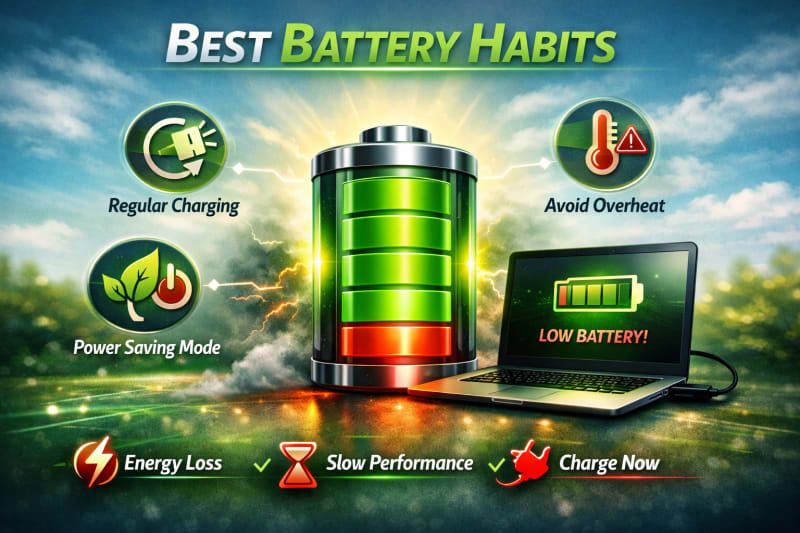
How you charge your laptop plays an important role in determining how long the battery remains healthy. While modern laptop batteries are designed to handle regular use, poor charging habits can reduce their capacity and shorten their useful lifespan.
Many laptop users experience battery problems because of common mistakes such as excessive heat during charging, using incompatible chargers, or repeatedly allowing the battery to drain completely.
The good news is that simple charging practices can help slow battery degradation and keep your laptop performing reliably for a longer period.
This guide explains the best laptop charging habits, common charging mistakes to avoid, and practical ways to maintain battery health.
How Laptop Batteries Charge and Why Charging Habits Matter
Understanding how laptop batteries charge helps you develop better habits that protect battery health. Modern laptops use advanced charging systems, but the way you use and maintain the battery still affects its long-term performance.
Most modern laptops use lithium-ion (Li-ion) or lithium-polymer (Li-Po) batteries. These batteries are designed to provide efficient power storage while remaining lightweight and portable. If you want to learn how to make your laptop battery work at best, explore, How to Reduce Laptop Battery Drain and Make It Last Longer.
How the Charging Process Works
When you connect your laptop charger:
- Electricity flows through the power adapter.
- The laptop charging system regulates the power.
- The battery stores energy until it reaches its charging limit.
Modern laptops have built-in protection systems that help prevent problems such as overcharging. However, other factors like heat and charging patterns can still affect battery lifespan.
Why Charging Habits Matter
Every battery experiences gradual wear over time. Certain habits can speed up this process, including:
- Frequent exposure to high temperatures
- Regular deep battery discharge
- Using poor-quality chargers
- Keeping the battery under unnecessary stress
Good charging habits reduce unnecessary strain and help maintain battery capacity.
Battery Cycles and Charging
A battery cycle represents the use of an amount of power equal to 100% of the battery's capacity.
For example:
- Using 40% of the battery today
- Using another 60% later
Together, this equals one complete cycle.
Laptop batteries have a limited number of cycles, so efficient charging and usage can help you get more value from each cycle. Learn to fix battery issues by reading, How to Fix Laptop Battery Not Charging Problems in 2026.
Charging Is About Balance
There are many battery charging myths, but the best approach is practical:
- Avoid unnecessary heat
- Use the correct charger
- Do not regularly drain the battery completely
- Monitor battery condition
You do not need to follow extreme charging rules to maintain a healthy battery.
Understanding the charging process allows you to make better decisions and avoid habits that may shorten your laptop battery lifespan. To fix more of your laptop battery issues, check out How to Fix Laptop Battery Not Charging Problems in 2026.
Should You Keep Your Laptop Plugged In All the Time?
Many laptop users wonder whether keeping their laptop connected to the charger for long periods damages the battery. The answer depends on the laptop's charging system, battery condition, and the amount of heat generated during use.
Modern laptops are designed with charging management systems that help prevent traditional overcharging problems. However, keeping a laptop constantly plugged in under poor conditions can still contribute to battery wear.
Understanding Modern Charging Systems
Most modern laptops stop actively charging the battery once it reaches full capacity. The laptop then uses power directly from the charger while managing the battery.
This means leaving your laptop plugged in is generally safe on many newer devices.
However, battery health can still be affected by:
- High temperatures
- Poor ventilation
- Keeping the battery at maximum charge for very long periods
When Keeping Your Laptop Plugged In Makes Sense
Using your laptop while connected to power can be beneficial when:
- Performing demanding tasks
- Running professional software
- Gaming
- Working for long periods
These activities consume more power and may drain the battery quickly if you rely only on battery power. Do you care about a strong laptop? We recommend HP EliteBook 1040 G11 Laptop – Intel Core Ultra 7 to prove that claim.
Use Battery Protection Features When Available
Many laptop manufacturers provide battery care features that can limit charging levels.
These features may:
- Stop charging at a lower percentage
- Reduce battery stress
- Improve long-term battery health
Check your laptop manufacturer's settings or management software to see if this option is available.
Avoid Heat While Plugged In
The biggest concern with long-term charging is often not the charger itself but excessive heat.
Avoid:
- Blocking air vents
- Using the laptop on soft surfaces
- Keeping it in hot environments
Good airflow helps protect both the battery and internal components.
A Practical Approach
There is no need to constantly unplug and reconnect your charger throughout the day. Instead:
- Use your laptop normally
- Avoid unnecessary heat
- Use battery protection features when available
- Allow the battery to be used occasionally
Keeping your laptop plugged in is not automatically harmful, but proper temperature control and good maintenance habits are important for extending battery lifespan.
Should You Charge Your Laptop to 100% Every Time?
Many laptop users believe they must always charge their battery fully to 100%, while others avoid full charging completely. The best approach depends on your usage needs and how you want to balance convenience with battery longevity.
Modern laptop batteries are designed to handle normal charging patterns, but maintaining good habits can help reduce unnecessary battery stress.
Understanding Full Charging
Charging your laptop to 100% occasionally is not a problem. It allows you to get the maximum possible usage time when you need your laptop away from a power source.
However, keeping the battery at 100% charge for very long periods, especially in hot conditions, may contribute to faster battery aging.
When Full Charging Is Useful
Charging to 100% can be helpful when:
- Travelling
- Working without access to electricity
- Attending classes or meetings away from a charger
- Using your laptop for long periods on battery power
In these situations, maximum capacity provides more convenience.
When Avoiding Constant Full Charge May Help
If your laptop is usually connected to power and rarely needs battery backup, keeping the battery at maximum charge continuously may not be ideal.
Some laptops include battery protection modes that reduce the maximum charge level to help preserve battery health.
Use Manufacturer Battery Care Features
Many modern laptops provide tools that allow users to manage charging.
These features may:
- Limit charging levels
- Optimize charging behaviour
- Protect battery capacity
If available, these settings can be useful for users who keep their laptops plugged in frequently.
Focus on Heat and Usage Conditions
The charging percentage alone is not the only factor affecting battery health.
Pay attention to:
- Temperature during charging
- Charger quality
- Laptop workload
- Overall maintenance
A fully charged battery in a cool, well-maintained laptop may experience less stress than a partially charged battery exposed to excessive heat.
A Balanced Charging Approach
A practical approach is:
- Charge fully when you need maximum battery time
- Avoid unnecessary heat while charging
- Use battery protection features if available
- Maintain good overall laptop habits
The goal is not to avoid 100% charging completely, but to use charging practices that support both convenience and battery longevity.
Why You Should Avoid Complete Battery Drain
Many people believe that allowing a laptop battery to reach 0% regularly is a good way to maintain it. This idea comes from older battery technologies, but modern lithium-ion batteries work differently.
Frequently draining a laptop battery completely can increase stress on the battery cells and may reduce its lifespan over time.
What Happens When a Battery Reaches 0%?
When a laptop battery reaches extremely low levels, the battery management system must protect the cells from damage. Apple MacBook Air 11-inch is another powerful laptop everyone needs.
Repeated deep discharges can contribute to:
- Reduced battery capacity
- Faster battery aging
- Less reliable performance
Modern laptops are designed to shut down before the battery reaches a truly empty state, but regularly pushing the battery to very low levels is still not recommended.
Charge Before the Battery Becomes Critically Low
A better habit is to recharge your laptop before it reaches an extremely low percentage.
For example:
- Connect the charger when the battery is getting low
- Avoid waiting until the laptop shuts down
- Recharge based on your daily needs
This reduces unnecessary stress on the battery.
Occasional Full Discharge Is Different
Modern lithium-ion batteries do not require frequent full discharge.
However, occasional battery calibration procedures may be recommended for some laptop models to improve battery percentage accuracy.
Always follow your laptop manufacturer's guidance for calibration.
Do Not Panic About Normal Battery Use
Using your laptop until it reaches a low percentage occasionally will not immediately damage the battery.
Battery wear is affected by many factors, including:
- Total usage
- Temperature
- Charging patterns
- Battery quality
The goal is to avoid making complete discharge a regular habit.
Best Practice for Daily Use
To protect battery health:
- Avoid frequent 0% shutdowns
- Recharge before the battery becomes critically low
- Keep the laptop cool
- Use the correct charger
Avoiding unnecessary deep discharges is a simple habit that can help your laptop battery maintain better performance over a longer period.
Use the Original Charger and the Right Power Adapter
The charger you use has a direct impact on your laptop's charging performance and battery health. Using an incorrect or poor-quality charger can cause charging problems, reduce efficiency, or create safety risks.
Whenever possible, use the charger that came with your laptop or a high-quality replacement that meets the manufacturer's specifications.
1. Why the Correct Charger Matters
Laptop chargers are designed to provide specific electrical requirements, including:
- Voltage
- Current
- Wattage
- Connector type
Using a charger with incorrect specifications may prevent proper charging or affect laptop performance.
2. Avoid Cheap Unknown Chargers
Low-quality chargers may appear affordable, but they can cause problems such as:
- Unstable power delivery
- Slow charging
- Charging interruptions
- Excessive heat
A reliable charger is an important investment in protecting your laptop.
3. Check Charger Specifications Before Buying a Replacement
If you need a replacement charger, confirm:
- Laptop model compatibility
- Required voltage
- Required wattage
- Connector size and type
Do not choose a charger based only on physical appearance.
4. Be Careful With Universal Chargers
Universal chargers can work if they properly match your laptop requirements.
Before using one, confirm:
- Correct voltage setting
- Sufficient power output
- Proper connector fit
An unsuitable universal charger may cause charging issues.
5. Inspect Your Charger Regularly
A damaged charger can affect charging reliability.
Check for:
- Broken cables
- Exposed wires
- Loose connectors
- Unusual heat
Replace damaged chargers instead of continuing to use them.
6. Avoid Sharing Chargers Between Different Laptops
Even if two laptops use similar-looking connectors, their power requirements may differ.
Using the wrong charger can lead to:
- Poor charging performance
- Battery stress
- Hardware issues
Always confirm compatibility first.
Using the correct charger helps your laptop receive stable power and supports healthier battery performance over time.
Avoid Heat While Charging Your Laptop
Heat is one of the biggest factors that can reduce laptop battery lifespan. While charging naturally produces some heat, excessive temperature can speed up battery wear and affect overall laptop performance.
Managing heat during charging is one of the most effective ways to protect your battery.
1. Charge Your Laptop on a Hard Surface
The surface where you place your laptop affects airflow.
Avoid charging on:
- Beds
- Pillows
- Blankets
- Sofas
These surfaces can block ventilation openings and trap heat.
Instead, place your laptop on:
- A desk
- A table
- A hard, flat surface
This allows air to move properly around the device.
2. Keep Air Vents Clear
Laptop cooling systems depend on proper airflow.
Make sure:
- Air vents are not covered
- Dust does not block ventilation areas
- The cooling fan can operate properly
Blocked vents force the cooling system to work harder and increase internal temperature.
3. Avoid Heavy Tasks During Charging When Possible
Charging while performing demanding tasks is normal, but intensive activities generate more heat.
Examples include:
- Video rendering
- Gaming
- 3D design work
If your laptop becomes unusually hot during these activities, improve airflow or reduce the workload.
4. Avoid Charging in Hot Environments
Room temperature affects laptop temperature.
Avoid charging in places with:
- Direct sunlight
- Poor ventilation
- Excessive heat
A cooler environment helps the battery charge more efficiently.
5. Monitor Signs of Overheating
Pay attention to warning signs such as:
- Very hot laptop body
- Loud fan noise
- Sudden performance slowdown
- Unexpected shutdowns
Persistent overheating may require cleaning or professional inspection.
6. Use Cooling Accessories When Necessary
A cooling pad may help improve airflow for laptops that regularly run hot.
However, it should support proper maintenance, including:
- Cleaning dust
- Keeping vents clear
- Using the laptop correctly
7. Allow the Laptop to Cool After Heavy Use
After demanding tasks, give your laptop time to return to a normal temperature before storing it or placing it in a confined space.
A cooler battery experiences less stress.
Managing heat during charging protects your battery from unnecessary wear and helps maintain reliable performance for a longer period.
Common Laptop Charging Mistakes to Avoid
Many laptop battery problems are caused by charging habits that users repeat every day without realizing their impact. Avoiding these mistakes can help maintain battery health and prevent unnecessary replacement costs.
1. Using Incompatible Chargers
Using a charger that does not match your laptop's requirements can cause charging problems.
Avoid using chargers that:
- Have incorrect voltage
- Provide insufficient power
- Are designed for different laptop models
Always confirm compatibility before use.
2. Charging in Excessive Heat
Heat damages batteries faster than normal charging.
Avoid:
- Charging in hot environments
- Blocking ventilation areas
- Placing the laptop on soft surfaces
Keep the laptop cool while charging.
3. Frequently Draining the Battery Completely
Allowing the battery to reach 0% regularly puts unnecessary stress on battery cells.
Instead:
- Recharge before the battery becomes critically low
- Avoid making complete discharge a daily habit
4. Ignoring Battery Health Warnings
Some users continue using a battery that is already showing signs of failure.
Pay attention to:
- Reduced battery backup
- Charging problems
- Battery warning notifications
Early action can prevent sudden problems.
5. Leaving Damaged Chargers in Use
A damaged charger can affect charging stability and safety.
Replace chargers with:
- Broken cables
- Loose connectors
- Visible damage
- Unusual heating
6. Buying Very Cheap Replacement Batteries
Low-cost replacement batteries may have poor quality and shorter lifespans.
Before buying:
- Check compatibility
- Choose reliable suppliers
- Confirm battery specifications
7. Using the Laptop Without Proper Ventilation
Poor airflow increases temperature during charging.
Avoid:
- Covering air vents
- Using the laptop on soft materials
- Keeping it in enclosed spaces while charging
8. Following Battery Myths Instead of Facts
Some old battery advice no longer applies to modern lithium-ion batteries.
Avoid unnecessary practices such as:
- Regular full discharge
- Extreme charging routines
- Ignoring manufacturer recommendations
Good battery care is based on understanding how modern batteries work, not outdated habits.
By avoiding these common charging mistakes, you can reduce battery stress and help your laptop maintain better performance over a longer period.
Best Charging Routine for Different Types of Laptop Users
The ideal charging routine depends on how you use your laptop. A student who carries a laptop to classes may have different needs from a professional who works at a