
How to Choose the Best Laptop for Remote Work(2026)
By Clarity Tech
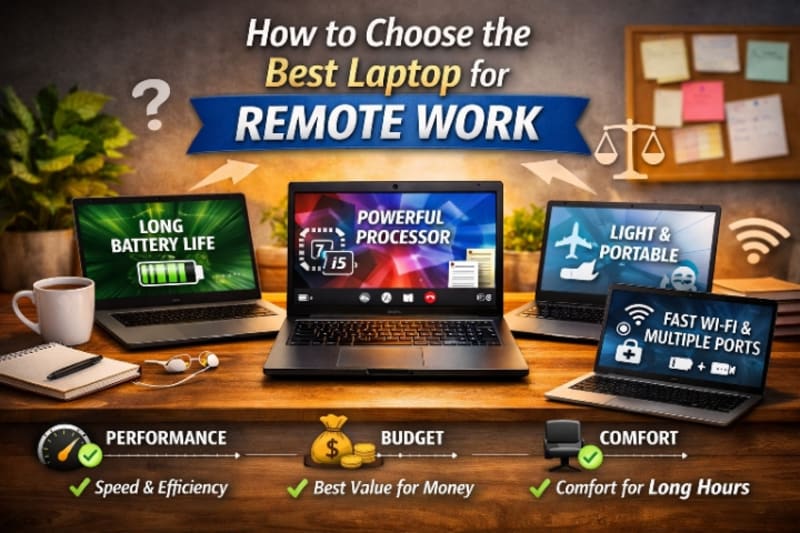
Remote work has transformed the way people do their jobs. Whether you're attending virtual meetings, managing projects, writing code, designing graphics, teaching online, or running a business from home, your laptop has become your primary workstation.
Choosing the right laptop isn't just about buying the latest model or the one with the highest specifications. It's about finding a device that matches the type of work you do, your budget, and your long-term needs.
A laptop that performs well for basic administrative tasks may struggle with video editing or software development. Likewise, spending money on premium features you don't actually need can leave you paying more without gaining any real benefit.
With hundreds of laptops available from brands like Dell, HP, Lenovo, Apple, ASUS, Acer, and Microsoft, it's easy to feel overwhelmed. Specifications such as processors, RAM, storage, battery life, display quality, and graphics can seem confusing if you don't know what they mean or how they affect real-world performance.
The good news is that choosing the right laptop doesn't have to be complicated.
In this guide, you'll learn the key factors to consider before buying a laptop for remote work, understand which specifications matter most, and discover how to select a device that helps you stay productive today while meeting your needs for years to come.
Understand Your Remote Work Requirements
Before comparing laptop brands or specifications, the first step is to understand how you plan to use your laptop.
Not everyone who works remotely has the same computing needs. A customer support representative answering emails and joining video calls doesn't require the same level of performance as a software developer, video editor, or 3D designer.
Buying a laptop based on your actual workload helps you avoid two common mistakes: purchasing a device that's too slow for your work or spending money on features you'll never use.
Identify the Type of Work You Do
Start by listing the tasks you perform on a typical workday.
For example, you may primarily:
- Respond to emails and messages.
- Attend Zoom, Microsoft Teams, or Google Meet meetings.
- Create documents and spreadsheets.
- Manage projects using collaboration tools.
- Browse the web with multiple tabs open.
- Write code or develop software.
- Edit photos or videos.
- Create graphics or presentations.
- Analyse large datasets.
The more demanding your daily tasks, the more powerful your laptop needs to be. Apple MacBook Air 13-Inch is a tool of that calibre.
Consider the Software You Use
Different applications place different demands on your computer.
For instance, office productivity software and web browsers generally require modest hardware, while professional applications for programming, graphic design, engineering, and video editing need faster processors, more memory, and greater storage capacity.
Before buying a laptop, make a list of the software you use regularly and check its recommended system requirements.
Think About Multitasking
Remote work often involves running several applications at the same time.
You might have a web browser with multiple tabs open while participating in a video meeting, editing documents, responding to emails, and listening to music in the background.
If multitasking is part of your routine, you'll benefit from a laptop with sufficient processing power and memory to keep everything running smoothly. For such experience your answer is Dell XPS 16 (9640) Laptop – Core Ultra 7.
Decide Where You'll Be Working
Your work environment should also influence your choice.
If you mostly work from a dedicated home office, portability may not be your highest priority.
However, if you frequently travel, work from cafés, coworking spaces, or alternate between home and the office, you'll likely appreciate a lightweight laptop with a long-lasting battery and a durable design.
Plan for Future Needs
A laptop is an investment that's expected to last several years.
Think beyond your current workload.
Will your role change? Do you plan to learn new skills such as programming, graphic design, or video editing? Could your business expand, requiring more demanding software?
Choosing a laptop that can comfortably handle your future needs may save you from replacing it sooner than expected.
Match the Laptop to Your Work
The best laptop isn't necessarily the most expensive one, it's the one that supports the way you work.
By understanding your daily tasks, software requirements, work environment, and future goals, you'll be in a much stronger position to choose a laptop that delivers the right balance of performance, portability, and value.
Choose the Right Processor (CPU)
The processor, also known as the Central Processing Unit (CPU), is the brain of your laptop. It performs calculations, runs applications, and determines how quickly your system responds to everyday tasks.
While RAM and storage are also important, the processor has one of the greatest impacts on overall performance. Choosing the right CPU ensures your laptop can handle your workload efficiently—not just today, but for years to come.
Why the Processor Matters
Every action you perform on your laptop depends on the processor.
Whether you're opening applications, joining video meetings, editing documents, compiling code, or exporting videos, the CPU is responsible for executing those tasks.
A faster processor generally means:
- Quicker application launches.
- Smoother multitasking.
- Better performance during video calls.
- Faster file processing.
- Improved responsiveness under heavy workloads.
Intel vs AMD vs Apple Silicon
Today's laptop market is dominated by three processor families.
Intel Core processors are widely available and power many laptops from brands such as Dell, HP, Lenovo, ASUS, and Acer. They offer reliable performance across entry-level, mid-range, and premium devices.
AMD Ryzen processors have become increasingly popular thanks to their strong performance, excellent multitasking capabilities, and competitive pricing. Many Ryzen-powered laptops provide outstanding value for remote workers.
Apple Silicon (M-series chips), found in MacBooks, are known for their impressive speed, excellent battery life, and energy efficiency. They perform particularly well for creative professionals and users invested in Apple's ecosystem.
Each platform is capable of supporting remote work, so the right choice depends more on your workflow and software requirements than the brand itself.
Which Processor Is Right for Your Work?
A good rule is to match the processor to the complexity of your daily tasks.
Entry-level users who mainly browse the web, use Microsoft Office, respond to emails, and attend online meetings can comfortably work with modern mid-range processors.
Business professionals who multitask heavily, work with large spreadsheets, run multiple business applications, or manage numerous browser tabs should consider more powerful processors for smoother performance.
Developers, designers, engineers, and video editors should prioritise high-performance processors capable of handling demanding software and intensive workloads.
Choosing a processor that's too weak can result in slow performance after a year or two, while buying the most powerful CPU available may not be necessary if your workload is relatively light. A powerful machine recommendable is Apple MacBook Air 13-inch.
Don't Focus Only on the Model Number
Many buyers assume that a higher processor number automatically means better performance.
In reality, factors such as processor generation, architecture, power efficiency, and cooling design also affect real-world performance.
For example, a newer mid-range processor can often outperform an older high-end processor while using less power and providing better battery life.
Instead of chasing the highest specifications, focus on selecting a modern processor that matches your work requirements.
Think Long-Term
Most people keep a laptop for several years.
Choosing a capable processor today helps ensure your laptop remains responsive as software becomes more demanding and your workload evolves.
A slightly better processor may increase the purchase price, but it can also extend the useful life of your laptop and delay the need for an upgrade. For a laptop that can last long for you, try, HP ZBook Firefly 14 G11 Mobile Workstation.
The Processor Sets the Foundation
Every other component in your laptop depends on the processor to deliver a smooth computing experience.
By selecting a CPU that aligns with your daily tasks and future needs, you'll create a strong foundation for productive, reliable, and efficient remote work.
How Much RAM Do You Need?
After choosing the right processor, the next component to consider is Random Access Memory (RAM).
RAM temporarily stores the data your laptop needs while applications are running. The more RAM your system has, the more tasks it can handle simultaneously without slowing down.
For remote workers who frequently switch between applications, join video meetings, and keep dozens of browser tabs open, having enough RAM is essential for maintaining a smooth and responsive experience.
What Does RAM Do?
Think of RAM as your laptop's short-term workspace.
Whenever you open a web browser, start a video call, edit a document, or launch an application, the data required for those tasks is loaded into RAM for quick access.
If your laptop runs out of available RAM, it begins using storage as temporary memory, which is much slower. This often results in lag, freezing, and reduced performance.
How Much RAM Is Enough?
The ideal amount depends on the type of work you perform.
8GB of RAM is generally suitable for users who:
- Browse the web.
- Send emails.
- Use Microsoft Office.
- Attend online meetings.
- Stream videos.
- Perform light multitasking.
For many people working remotely, 8GB provides a comfortable starting point.
16GB of RAM is the recommended choice for professionals who:
- Run multiple applications simultaneously.
- Keep many browser tabs open.
- Use business software throughout the day.
- Work with large spreadsheets.
- Perform light photo or video editing.
- Want their laptop to remain capable for several years.
For most remote workers, 16GB offers the best balance between performance, longevity, and value.
32GB or more is typically intended for demanding workloads such as:
- Software development.
- Professional video editing.
- Graphic design.
- 3D modelling.
- Virtual machines.
- Data science.
- Engineering applications.
Unless your work involves these resource-intensive tasks, investing in more than 16GB of RAM is usually unnecessary.
Can You Upgrade RAM Later?
Some laptops allow RAM upgrades, while others have memory permanently soldered to the motherboard.
Before purchasing a laptop, check whether memory can be expanded in the future.
An upgradeable laptop offers greater flexibility, allowing you to increase RAM later if your workload becomes more demanding.
RAM and Multitasking
One of the biggest benefits of having sufficient RAM is improved multitasking.
Instead of slowing down when several applications are open, your laptop can switch smoothly between tasks.
This is particularly valuable if your typical workday involves:
- Video conferencing.
- Project management software.
- Cloud storage services.
- Email applications.
- Multiple browser windows.
- Communication platforms like Slack or Microsoft Teams.
Adequate RAM keeps your workflow efficient and reduces interruptions caused by slow performance.
Buy for Tomorrow, Not Just Today
Remote work software continues to become more demanding.
While 8GB may meet your needs today, choosing 16GB can help ensure your laptop remains fast and responsive for many years.
If your budget allows, investing in additional memory now is often more cost-effective than replacing your laptop earlier because it no longer meets your performance requirements.
RAM Plays a Major Role in Everyday Performance
A powerful processor is important, but without enough RAM, your laptop won't perform at its best.
By selecting the right amount of memory based on your workload and future plans, you'll enjoy smoother multitasking, better productivity, and a more reliable remote working experience.
Choose the Right Storage: SSD vs HDD
Storage determines where your operating system, applications, documents, photos, videos, and other files are permanently saved. Choosing the right type of storage affects not only how much data you can keep on your laptop but also how fast it performs.
Today, most remote workers should prioritise a laptop with a Solid State Drive (SSD) over a traditional Hard Disk Drive (HDD).
Understanding the Difference
An SSD stores data using flash memory and has no moving parts. This allows it to access files much more quickly than an HDD.
An HDD, on the other hand, stores data on spinning magnetic disks. While HDDs are generally less expensive for large storage capacities, they are significantly slower and more prone to damage from physical shocks.
For modern remote work, an SSD offers a much better user experience.
Why an SSD Is Better for Remote Work
A laptop with an SSD starts up faster, launches applications more quickly, and transfers files in less time.
You'll notice benefits such as:
- Faster boot times.
- Quicker application launches.
- Smoother multitasking.
- Faster file transfers.
- Better overall system responsiveness.
These improvements may seem small individually, but together they make everyday work much more efficient.
How Much Storage Do You Need?
The ideal storage capacity depends on how you use your laptop.
256GB SSD is suitable for users who:
- Store most files in the cloud.
- Use office applications.
- Browse the web.
- Attend virtual meetings.
- Work mainly with documents and spreadsheets.
512GB SSD is the best choice for most remote professionals.
It provides enough space for business applications, documents, photos, presentations, downloaded files, and moderate media storage without constantly worrying about running out of space.
1TB SSD or larger is recommended for users who regularly:
- Edit videos.
- Work with large design files.
- Store extensive project data.
- Develop software with multiple development environments.
- Keep large local file libraries.
Cloud Storage Changes the Equation
Many remote workers use cloud services such as Google Drive, Microsoft OneDrive, Dropbox, or iCloud.
If most of your files are stored online, you may not need extremely large internal storage. However, it's still wise to leave enough free space for applications, temporary files, and offline access when needed.
Can Storage Be Upgraded?
Some laptops allow the SSD to be replaced with a larger one later, while others have storage permanently integrated into the device.
If you expect your storage needs to grow, check whether upgrades are possible before making a purchase.
Don't Sacrifice Speed for Capacity
A common mistake is choosing a large HDD instead of a smaller SSD simply because it offers more storage.
For most remote workers, the speed improvements of an SSD far outweigh the additional capacity of an HDD.
If you eventually need more space, it's often more practical to add an external SSD or use cloud storage than to compromise on everyday performance.
Storage Affects Your Daily Experience
While the processor and RAM determine how well your laptop handles active tasks, storage affects how quickly everything loads and responds.
Choosing a laptop with an SSD, and enough capacity for your current and future files, will help ensure a faster, smoother, and more productive remote working experience.
Consider Battery Life
One of the biggest advantages of a laptop over a desktop computer is portability. Whether you're working from home, a coworking space, a café, or while travelling, a reliable battery allows you to stay productive without constantly searching for a power outlet.
If your laptop frequently runs out of power during meetings or while you're working on important tasks, it can quickly become a source of frustration. That's why battery life should be one of the key factors you consider before making a purchase.
Why Battery Life Matters
A long-lasting battery gives you greater flexibility throughout the day.
It allows you to:
- Attend virtual meetings without interruption.
- Work while travelling.
- Continue working during power outages.
- Move freely between different workspaces.
- Reduce dependence on chargers and extension cables.
For remote workers, this flexibility can significantly improve productivity.
How Much Battery Life Do You Need?
Manufacturers often advertise impressive battery life figures, but these are usually measured under ideal conditions.
In real-world use, battery performance depends on factors such as screen brightness, the applications you're running, internet usage, and the number of background processes.
As a general guideline:
- 8 hours is acceptable for light remote work.
- 10–12 hours is ideal for most professionals.
- More than 12 hours is excellent for people who travel frequently or work away from power sources.
Always look for independent reviews to see how a laptop performs in everyday usage rather than relying solely on the manufacturer's claims.
Your Workload Affects Battery Life
Not all tasks consume the same amount of power.
Activities that typically use more battery include:
- Video conferencing.
- Video editing.
- Software development.
- Running virtual machines.
- Graphic design.
- Gaming.
Lighter tasks such as document editing, email